
AI Model
Claude 4.5’s Thinking Mode: How to Actually Use All That Extra Brainpower


- Share
- Tweet /data/web/virtuals/375883/virtual/www/domains/spaisee.com/wp-content/plugins/mvp-social-buttons/mvp-social-buttons.php on line 63
https://spaisee.com/wp-content/uploads/2026/01/claude.jpeg&description=Claude 4.5’s Thinking Mode: How to Actually Use All That Extra Brainpower', 'pinterestShare', 'width=750,height=350'); return false;" title="Pin This Post">
Thinking models are suddenly everywhere, but most teams are still using them like regular chatbots with a fancier label. Claude 4.5 changes that dynamic by giving you an explicit “thinking mode” you can dial up, meter, and wire into your stack. It’s not just a marketing term; under the hood you’re literally buying the model extra scratchpad tokens to reason before it speaks.
Anthropic’s design for Claude 4.5, together with platform guides from providers like Comet, sketches out a very specific workflow: you control a separate budget for internal reasoning, you decide when to spend it, and Claude preserves those thinking blocks across turns so long-running agents can keep “remembering” their prior thought process. If you’re building anything beyond a toy chatbot, understanding how to use that budget is quickly becoming table stakes.
What “Thinking Mode” Actually Does
Anthropic’s official label is “extended thinking.” Instead of jumping straight from your prompt to a final answer, Claude 4.5 can open a private reasoning channel where it writes out multi-step chains of thought, evaluates alternatives, and catches its own mistakes before producing the response you see.
Two design choices matter for developers.
First, thinking tokens are budgeted separately from normal output tokens. A common description is that you tell the model: “you may spend up to N tokens thinking to yourself before you’re allowed to talk.” That means you can crank up reasoning power without accidentally blowing your entire output quota on a mile-long explanation.
Second, thinking blocks are treated as first-class objects in the Claude 4.5 APIs. There’s a thinking configuration with an on/off flag and a budget_tokens field, plus streaming options and special content blocks tagged as “thinking.” On the Opus 4.5 tier, those blocks are preserved across turns by default, so over a long session the model can refer back to what it reasoned earlier instead of starting from scratch each time.
The result is a hybrid between a standard chat model and a planning engine. In default mode, you get fast, human-style answers. In thinking mode, you get slower but more deliberate behavior that’s useful for nontrivial coding problems, research tasks, or complex agent loops.
Where You Actually Turn It On
The mechanics depend on which stack you’re using, but the picture is fairly consistent across Anthropic’s own API, cloud platforms, and third-party providers.
On Anthropic’s platform, Claude 4.5 exposes thinking via the Messages API. You pass a thinking object that enables the mode and specifies the token budget, and in some contexts you can also use an “effort” parameter that blends regular and extended reasoning without micromanaging token counts.
Major cloud providers surface the same idea under their own labels. Amazon Bedrock talks about “extended thinking,” with a toggle plus a max-tokens setting for internal reasoning. Google Cloud’s Vertex AI console offers a similar checkbox when you deploy Claude.
Comet layers an OpenAI-style API over all of this. Their Sonnet 4.5 and Opus 4.5 deployments expose separate “thinking” variants, and their guides describe model IDs that end with -thinking when you want the extended mode. For Haiku 4.5, they highlight thinking as the way to squeeze near-frontier reasoning out of a smaller, cheaper model.
In practice, you decide at three levels: whether to turn thinking on at all, which model family you use (Haiku, Sonnet, Opus), and how much budget you grant for each call.
Budgeting the Model’s “Inner Monologue”
The budget setting is where most teams either underuse thinking mode or blow their tokens without much benefit.
Thinking mode is fundamentally a trade-off: more internal tokens buy you better reasoning on hard tasks but cost you time and money. For everyday completions, you want the model to answer quickly. For the one prompt in a workflow that decides whether you deploy to production or wire funds, you want Claude to sweat the details.
A workable mental model is to treat thinking tokens like a scoped performance budget.
If a request is purely mechanical — reformatting JSON, summarizing a short paragraph, doing a single obvious code edit — keep thinking off and rely on Claude’s baseline capabilities.
If the request involves multi-step logic, nontrivial math, or open-ended coding where a mistake is expensive, allocate a modest budget so the model can sketch a plan, run through edge cases, and cross-check itself before answering.
If you’re orchestrating long-horizon agents (for example, an Opus 4.5 agent that refactors part of a codebase over dozens of steps), use a higher budget on the “planning turns” and a lower budget for follow-up status updates.
Some platform guides recommend capping budgets for exploratory prompts and only raising them when you detect that the model is struggling with consistency or missing key constraints. The key is to make thinking mode a conscious part of your cost model rather than something you flip on globally.
When Thinking Mode Really Shines
On synthetic benchmarks, Opus 4.5 and Sonnet 4.5 already show strong reasoning gains compared with earlier Claude generations. Their thinking variants deliver better performance per token than older reasoning modes, particularly on coding and multi-step agent tasks.
But the more interesting story is how teams are using thinking mode in real workflows.
In coding, extended thinking lets Claude break down a request into subtasks: analyze the existing code, outline the change, reason through edge cases, then implement and test. The scratchpad gives it room to “talk to itself” about design choices instead of trying to jump straight to a patch. That’s especially helpful in long-context scenarios where Sonnet 4.5 is meant to hold an entire service or monorepo in memory.
In research and analysis, thinking mode works like a structured note-taking space. Claude can enumerate hypotheses, score evidence, and discard weaker interpretations before writing a polished summary. For financial, legal, or scientific use cases, that extra deliberation often translates into fewer hallucinations and more defensible output.
In agents, extended thinking is basically the control room. Opus 4.5 can keep a running chain of thought about goals, tools, and intermediate results across many tool calls and turns. Since Claude 4.5 can preserve prior thinking blocks in context, an agent can refer back to why it made a decision three steps ago and course-correct if new information contradicts earlier assumptions.
The pattern across all of these is the same: you let Claude be fast and conversational for easy work, then explicitly give it more “brain time” where mistakes are expensive.
Avoiding the Classic Thinking-Mode Pitfalls
Extended thinking is powerful enough that it introduces its own set of failure modes.
The first is latency. Thinking tokens are still tokens. If you give every call a giant budget, your users will feel it. The fix is basic hygiene: reserve big budgets for offline or batch jobs, keep interactive UIs on modest budgets, and tune per-route settings rather than slapping one global number on your entire service.
The second is context bloat. Claude Opus 4.5 can maintain prior thinking blocks in context, which is great until your conversation history becomes a cemetery of old scratchpads. If you’re building long-running agents, you need a lifecycle for those thoughts: periodically summarize, archive, or selectively prune what the agent no longer needs.
The third is leaking the wrong content. By design, thinking blocks are meant for the model and for you as the developer, not necessarily for end users. Anthropic supports redaction so that raw chains of thought are hidden but can still be used for verification or tool calls. If you’re in a regulated environment, you should decide explicitly which parts of the reasoning you surface, which you keep for audit, and which you discard.
Finally, there is human trust. Thinking mode can reveal how messy a model’s reasoning really is: it might explore dead ends, change its mind, or sound less confident than the final answer suggests. For internal tools that’s a feature — it lets your team debug the model’s behavior. For consumer-facing apps, you may want to summarize the chain of thought into a cleaner explanation rather than dumping raw scratchpad text on the user.
Safety and Governance: It’s Not Just More Tokens
Anthropic has been explicit that extended thinking is tied to its safety story, not just accuracy. Evaluations show that Haiku 4.5’s extended thinking mode improves harmless-response rates compared with earlier small models, and Opus 4.5 thinking is significantly more robust to prompt-injection-style attacks than many competing reasoning setups.
That matters if you’re building agents that operate on sensitive data or perform real actions. A model that has more time to reason can also spend some of that budget on self-checks, policy evaluation, and anomaly detection before it touches your systems.
From a governance standpoint, thinking mode also gives you an audit trail. You can log thinking blocks for critical operations, then review how the model got to a decision if something goes wrong. Combined with signatures or hashing of those blocks, you have the beginnings of a verifiable reasoning record rather than a black box.
Of course, logging chains of thought introduces its own privacy questions. Those logs might embed user data, proprietary code, or other sensitive content. Treat them like you would treat production database dumps or debug traces: encrypt at rest, restrict access, and implement retention policies.
Turning Claude 4.5 Thinking Into a Real Capability, Not a Checkbox
The temptation with any new model feature is to flip the switch and move on. Thinking mode in Claude 4.5 really doesn’t work that way. It’s closer to a new dimension in how you design systems.
At the technical level, you decide where in a workflow to add deliberation, how much budget to allocate, and how to recycle or summarize past thinking. At the product level, you choose when to expose raw reasoning to users, when to abstract it behind clean explanations, and how much latency your UX can tolerate in exchange for better answers.
At the strategic level, you’re deciding where your most expensive problems live. If you have workflows where a single bad answer leads to a broken deployment, a security gap, or a terrible customer email, those are the places to spend your thinking tokens. Everywhere else, stick with fast mode.
Claude 4.5’s thinking mode doesn’t magically make your app “smarter.” What it does is give you explicit control over how much cognitive effort the model spends, and where. Teams that learn to treat that effort like a real resource — budgeted, measured, and tuned — will end up with agents and copilots that feel less like clever autocomplete and more like junior colleagues who actually sit and think before they speak.









The race to dominate AI-generated imagery has entered a sharper, more consequential phase. What once felt like a novelty—machines producing surreal, dreamlike visuals—has matured into a serious technological contest with real implications for design workflows, media production, and even digital economies. Two models now sit at the center of that conversation: GPT Image 2 and Nano Banana 2. While both promise high-quality visual synthesis, they reflect very different philosophies about how AI should create, scale, and integrate into modern systems.
This is not just a comparison of outputs. It is a story about where generative AI is heading next.
The Shift From Spectacle to Utility
Early image generators were judged primarily on aesthetics. Could they produce something beautiful, bizarre, or viral? Today, that bar has moved. The real question is whether these models can function as reliable tools inside professional pipelines.
GPT Image 2 represents a continuation of the “generalist powerhouse” approach. It is built to handle a wide range of prompts, styles, and use cases with strong consistency. Whether generating marketing visuals, concept art, or UI mockups, the model aims to be adaptable rather than specialized.
Nano Banana 2, by contrast, is engineered with efficiency and deployment flexibility in mind. It focuses on speed, cost-effectiveness, and edge compatibility. Instead of maximizing raw generative power, it optimizes for environments where compute resources are constrained but responsiveness is critical.
This divergence is what makes the comparison meaningful. These models are not just competing on quality—they are competing on philosophy.
Output Quality: Precision vs. Personality
At first glance, GPT Image 2 tends to produce more refined and compositionally coherent images. It handles lighting, perspective, and object relationships with a level of polish that aligns closely with professional design standards. Text rendering, a long-standing weakness in generative models, is noticeably improved, making it more viable for branding and advertising contexts.
Nano Banana 2, while slightly less consistent in fine detail, often produces outputs with a distinct stylistic character. There is a certain unpredictability that can work in its favor, especially in creative exploration. Designers looking for inspiration rather than precision may find its results more interesting, even when they are less technically perfect.
The difference becomes clear in iterative workflows. GPT Image 2 excels when you know what you want and need the model to execute reliably. Nano Banana 2 shines when you are still discovering what you want and are open to unexpected variations.
Speed and Efficiency: Where Nano Banana 2 Leads
One of the most significant differentiators is performance efficiency. Nano Banana 2 is designed to run faster and with fewer computational demands. This makes it particularly attractive for real-time applications, mobile environments, and decentralized systems where latency and cost are critical factors.
GPT Image 2, while powerful, typically requires more resources to achieve its higher fidelity outputs. In cloud-based environments, this is less of a concern, but at scale, the cost difference becomes meaningful. For startups or platforms generating large volumes of images, Nano Banana 2 offers a compelling economic advantage.
This is where the broader industry trend becomes visible. Not every use case requires maximum quality. In many scenarios, “good enough, instantly” beats “perfect, eventually.”
Prompt Understanding and Control
Prompt interpretation is another area where the models diverge. GPT Image 2 demonstrates stronger semantic understanding, particularly with complex or multi-layered instructions. It can parse nuanced descriptions and translate them into coherent visual outputs with fewer iterations.
Nano Banana 2, while capable, tends to be more sensitive to prompt phrasing. Small changes in wording can lead to significantly different results. This can be frustrating for users seeking consistency, but it also opens the door to more exploratory workflows where variation is desirable.
Control mechanisms also differ. GPT Image 2 leans toward structured prompt engineering, rewarding clarity and specificity. Nano Banana 2 feels more like a creative partner that responds dynamically, sometimes unpredictably, to input.
Integration and Developer Ecosystems
Beyond raw performance, integration is becoming the defining factor in model adoption. GPT Image 2 is typically positioned within a broader ecosystem of AI tools, making it easier to combine with text generation, code assistance, and multimodal workflows. This interconnectedness is valuable for teams building complex applications.
Nano Banana 2, on the other hand, is often favored in modular and lightweight deployments. Its architecture allows developers to integrate it into systems where flexibility and independence from large infrastructures are priorities. This aligns well with the growing interest in edge AI and decentralized applications.
The contrast here reflects two different visions of the future: one centralized and ecosystem-driven, the other distributed and modular.
Use Cases: Choosing the Right Tool
The choice between GPT Image 2 and Nano Banana 2 ultimately depends on the context in which they are used.
GPT Image 2 is better suited for high-stakes visual production. This includes advertising campaigns, brand assets, and any scenario where consistency and quality cannot be compromised. Its ability to interpret complex prompts and deliver polished results makes it a reliable choice for professionals.
Nano Banana 2 finds its strength in high-volume, real-time, or resource-constrained environments. Social media platforms, gaming applications, and mobile tools can benefit from its speed and efficiency. It is also well-suited for experimental creative processes where variation is an asset rather than a drawback.
What is emerging is not a winner-takes-all dynamic, but a segmentation of the market based on needs.
The Economic Layer: Cost as a Strategic Factor
As AI image generation scales, cost is becoming a strategic consideration rather than a technical detail. GPT Image 2’s higher resource requirements translate into higher operational costs, particularly at scale. For enterprises with significant budgets, this may be acceptable in exchange for quality.
Nano Banana 2, however, introduces a different equation. By lowering the cost per generation, it enables entirely new business models. Applications that rely on massive volumes of generated content—such as personalized media feeds or dynamic in-game assets—become more feasible.
This shift could have broader implications for the AI economy. Models that prioritize efficiency may drive wider adoption, even if they are not the absolute best in terms of output quality.
Creative Control vs. Creative Chaos
There is also a philosophical dimension to this comparison. GPT Image 2 embodies control. It is predictable, reliable, and aligned with user intent. This makes it a powerful tool for professionals who need to execute a vision precisely.
Nano Banana 2 embodies a degree of chaos. It introduces variability and surprise, which can be valuable in creative exploration. In some ways, it feels closer to collaborating with another human artist—sometimes aligned, sometimes divergent, but often inspiring.
Neither approach is inherently better. They simply cater to different creative mindsets.
What This Means for the Future of AI Imagery
The emergence of models like GPT Image 2 and Nano Banana 2 signals a broader evolution in generative AI. The field is moving beyond the question of “can AI create images?” to “how should AI create images for different contexts?”
We are likely to see further specialization. Some models will push the boundaries of quality and realism, while others will optimize for speed, cost, and accessibility. Hybrid approaches may also emerge, combining the strengths of both paradigms.
For users, this means more choice—but also more complexity. Selecting the right model will require a clear understanding of priorities, whether that is quality, speed, cost, or creative flexibility.
Conclusion: A Market Defined by Trade-Offs
GPT Image 2 and Nano Banana 2 are not just competing products; they are representations of two different strategies in AI development. One prioritizes excellence and integration, the other efficiency and adaptability.
The real takeaway is not which model is better, but how their differences reflect the changing demands of the market. As AI becomes more embedded in everyday tools and workflows, the ability to balance quality with practicality will define success.
In that sense, this comparison is less about a rivalry and more about a roadmap. The future of AI image generation will not be dominated by a single model, but shaped by a spectrum of solutions designed for a wide range of needs.
And that is where the real innovation begins.
AI Model
From Panels to Motion: A Beginner’s Guide to Turning Comics into Animations with Seedance 2.0
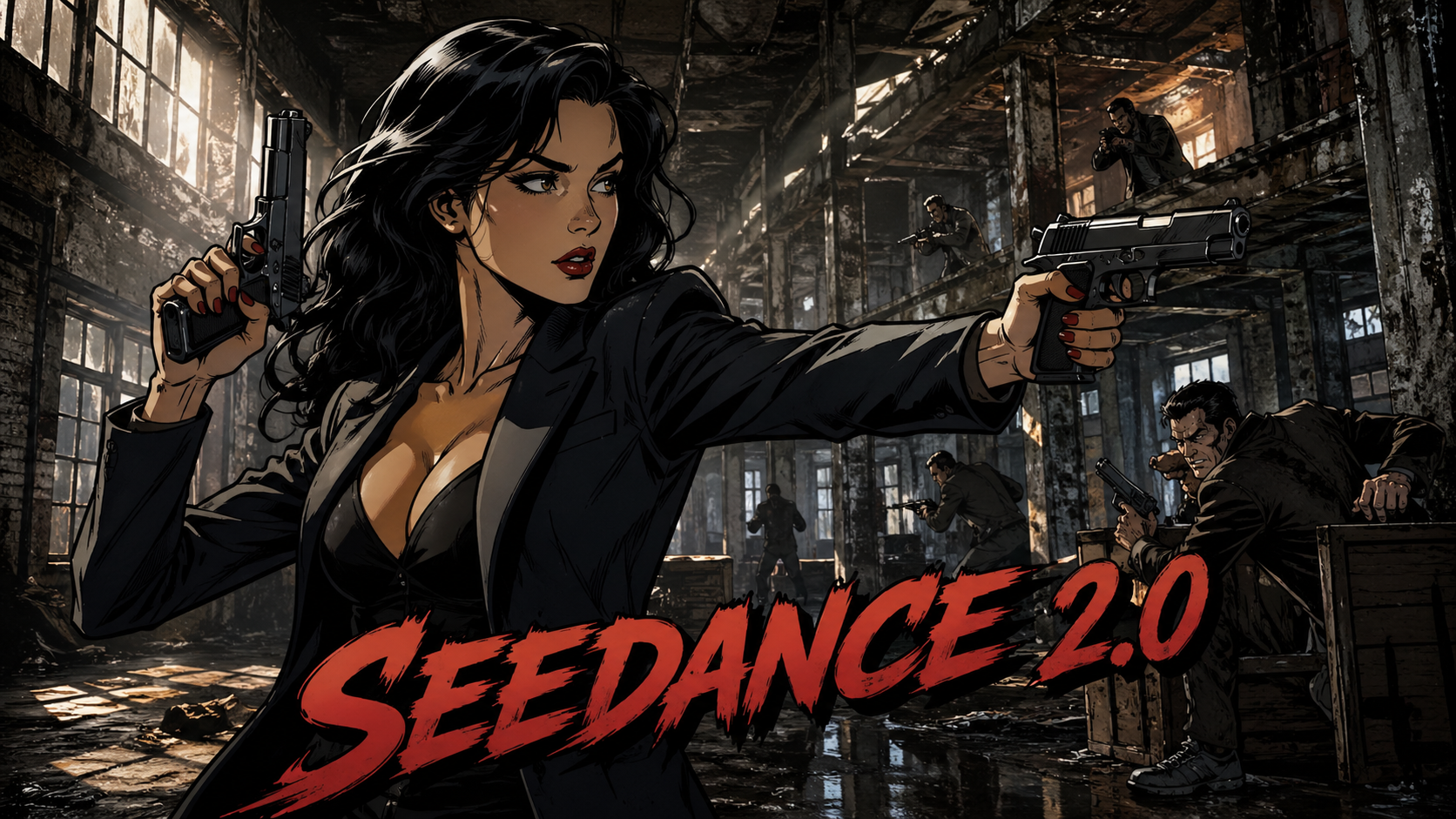
There’s a quiet revolution happening in digital storytelling. For decades, comics and animation lived in parallel worlds—one static, the other fluid. Bridging the gap required teams of artists, animators, and expensive production pipelines. Today, that barrier is dissolving. With tools like Seedance 2.0, creators can transform still comic panels into dynamic animated sequences with far less friction than ever before.
This isn’t just a technical upgrade. It’s a shift in creative power. Indie artists, small studios, and even hobbyists can now breathe motion into their illustrations without needing a full animation background. If you’ve ever looked at a comic panel and imagined it moving—wind rustling through hair, a camera slowly zooming in, a punch landing in slow motion—this guide will walk you through how to make that vision real.
Understanding the Core Idea: Comics as Animation Blueprints
Before diving into software, it’s worth reframing how you think about comics.
A comic is already a form of “compressed animation.” Each panel represents a moment in time, carefully chosen to imply motion between frames. The artist controls pacing, perspective, and emotion using static imagery. What Seedance 2.0 does is expand those implied transitions into actual movement.
Instead of drawing hundreds of frames, you’re guiding an AI to interpolate motion between key visual moments.
This means your job isn’t to become a traditional animator overnight. It’s to think like a director. You’re deciding:
- Where the camera moves
- How characters subtly animate
- What elements remain static versus dynamic
Seedance 2.0 handles the heavy lifting, but your creative direction determines the outcome.
Setting Up Your Workflow
The biggest mistake beginners make is jumping straight into animation without preparing their assets. Clean input leads to dramatically better results.
Start with your comic panels. Ideally, you should have high-resolution images with clear linework and distinct foreground/background separation. If your comic is hand-drawn, scanning at a high DPI is essential. If it’s digital, export in a lossless format like PNG.
Think of each panel as a scene rather than a frame. You’re not animating the entire comic at once—you’re breaking it into manageable sequences.
Once your assets are ready, import them into Seedance 2.0. The platform is designed to recognize structural elements in images, such as characters, depth layers, and lighting cues. This is where AI begins to interpret your artwork.
Layering: The Hidden Key to Good Animation
If there’s one concept that separates amateur results from professional-looking output, it’s layering.
Comics are often drawn as flat compositions, but animation requires depth. Seedance 2.0 allows you to separate elements into layers—even if they weren’t originally drawn that way.
For example, in a panel showing a character standing in a city street, you can divide the image into:
- Foreground (character)
- Midground (street and objects)
- Background (buildings, sky)
Once separated, each layer can move independently. This creates parallax, one of the simplest yet most effective animation techniques. As the camera pans, closer objects move faster than distant ones, giving a sense of depth.
Seedance uses AI-assisted segmentation to help with this process, but beginners should still refine layers manually when needed. Clean edges and logical separation make a huge difference.
Introducing Motion: Subtlety Over Spectacle
One of the most common beginner mistakes is over-animating everything. Movement doesn’t automatically improve a scene. In fact, too much motion can make it feel chaotic or artificial.
Start small.
Instead of trying to animate entire characters, focus on micro-movements. A slight head tilt, blinking eyes, or a gentle shift in posture can bring a character to life without overwhelming the frame.
Seedance 2.0 offers motion presets that can be applied to different elements. These include natural movements like breathing, hair sway, and environmental effects such as wind or light flicker.
Think cinematically. Ask yourself what the viewer should focus on. Then animate only what supports that focus.
Camera Movement: Your Most Powerful Tool
If you do nothing else, learn how to use camera movement effectively. It’s the easiest way to turn a static panel into something dynamic.
Seedance allows you to simulate camera actions like zoom, pan, tilt, and dolly. Even a simple slow zoom can dramatically increase emotional impact.
Imagine a dramatic panel where a character realizes something shocking. Instead of leaving it static, you can:
- Slowly zoom into their face
- Add a slight background blur
- Introduce subtle lighting changes
This transforms a single image into a cinematic moment.
Camera movement also helps connect multiple panels. You can transition from one panel to another by panning across a larger composition or zooming into a specific detail that leads into the next scene.
Timing and Pacing: Where Beginners Struggle Most
Animation isn’t just about movement—it’s about timing.
Seedance 2.0 gives you control over how long each motion lasts and how it accelerates or decelerates. This is known as easing, and it’s critical for natural-looking animation.
A movement that starts and stops abruptly feels robotic. A movement that gradually accelerates and slows down feels organic.
For beginners, the safest approach is to slow everything down. Fast movements are harder to control and often look unnatural when generated automatically.
Let scenes breathe. Give viewers time to absorb the image before transitioning.
Adding Effects: Enhancing, Not Distracting
Once your basic animation is working, you can start adding effects.
Seedance 2.0 includes a range of visual enhancements such as lighting adjustments, particle effects, and atmospheric elements. These can elevate your animation, but only if used carefully.
For example, adding rain to a scene can create mood, but overdoing it can obscure the artwork. Similarly, glowing effects can emphasize important elements but shouldn’t dominate the frame.
Think of effects as seasoning, not the main dish.
Voice, Sound, and Atmosphere
While Seedance focuses primarily on visual animation, sound plays a huge role in making your work feel complete.
Even simple audio can transform your animation. Background ambience, subtle sound effects, and minimal voice acting can add depth.
A static panel of a city becomes alive with distant traffic noise and footsteps. A dramatic close-up gains intensity with a low ambient hum or heartbeat-like rhythm.
You don’t need a full soundtrack. Start with basic layers of sound and build gradually.
Exporting and Optimizing Your Animation
Once your animation is complete, exporting correctly is crucial.
Seedance 2.0 allows you to render in various formats depending on your target platform. Short-form vertical videos work well for social media, while wider formats suit cinematic presentations.
Pay attention to resolution and frame rate. Higher isn’t always better. A well-optimized 24 or 30 FPS animation often looks more natural than overly smooth high-frame-rate output, especially for comic-style visuals.
Compression also matters. You want to maintain image quality without creating massive file sizes.
Common Pitfalls and How to Avoid Them
Beginners often run into the same issues when starting out.
The first is trying to animate low-quality images. If your source material is blurry or poorly defined, the AI will struggle to produce clean motion.
The second is over-reliance on automation. Seedance 2.0 is powerful, but it’s not magic. You still need to guide it with clear creative decisions.
The third is ignoring storytelling. Animation should enhance the narrative, not distract from it. Every movement should have a purpose.
Building a Repeatable Process
Once you’ve completed your first animation, the real advantage comes from refining your workflow.
Create templates for common scene types. Develop a consistent style for camera movement and pacing. Over time, you’ll build a recognizable visual language.
Seedance 2.0 becomes more powerful the more you understand how to direct it. The tool doesn’t replace creativity—it amplifies it.
The Bigger Picture: Why This Matters
Turning comics into animation isn’t just a technical trick. It’s a new storytelling medium.
Creators can now publish hybrid content that sits between traditional comics and full animation. This opens up new distribution channels, from social media to interactive platforms.
It also lowers the barrier to entry for animation as a whole. Instead of needing a studio, a single creator can produce compelling animated stories.
This democratization is already reshaping the creative landscape.
Final Thoughts
Learning to animate comics with Seedance 2.0 is less about mastering software and more about understanding motion, timing, and storytelling.
Start simple. Focus on small improvements. Experiment constantly.
The gap between a static panel and a living scene is smaller than it’s ever been. And for creators willing to explore it, the possibilities are wide open.
What used to take months of production can now be done in days—or even hours. But the real advantage isn’t speed. It’s control.
For the first time, comic artists can fully dictate how their stories move, not just how they look.
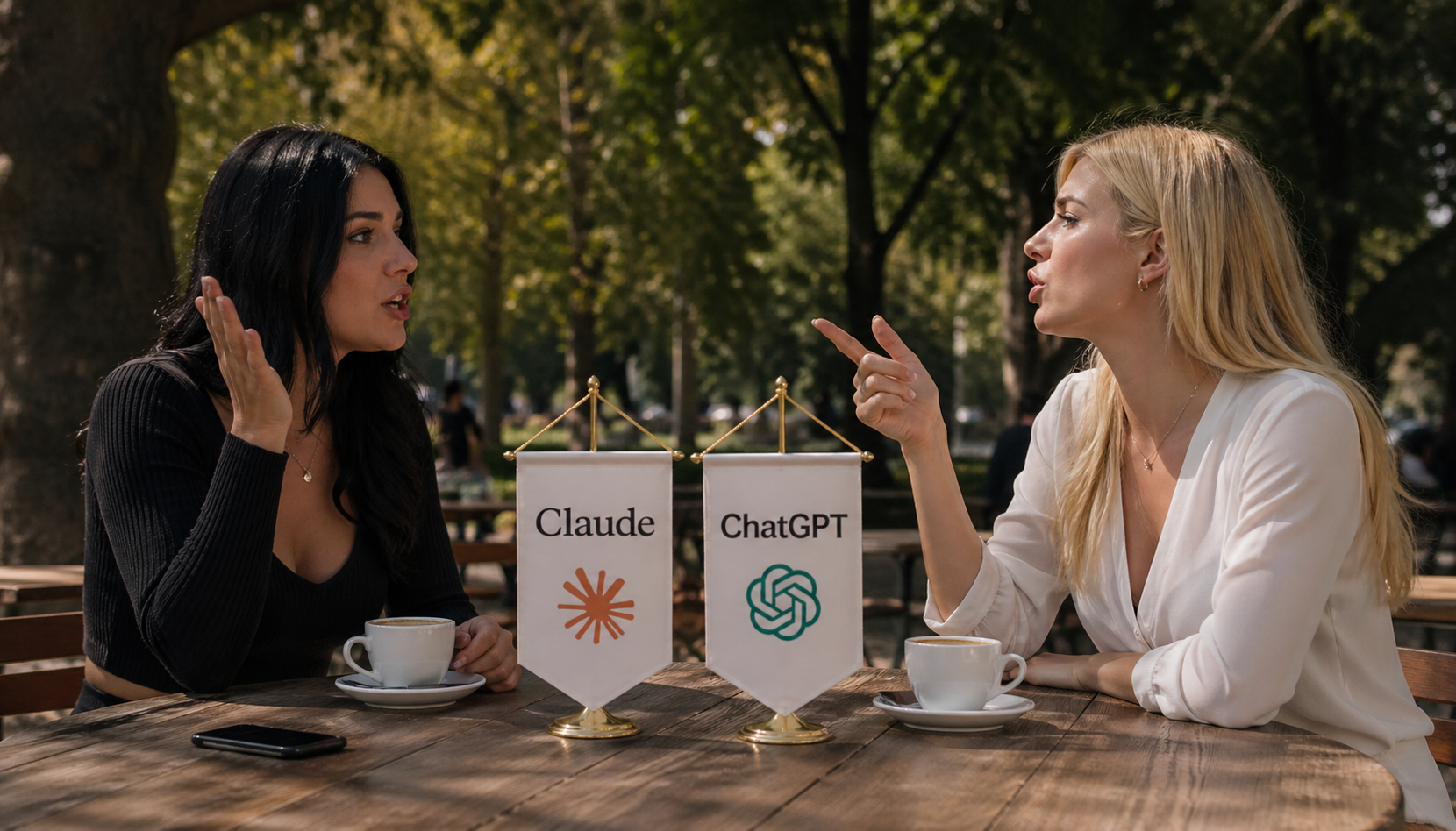
For much of the past year, a quiet consensus has been building inside developer circles, research labs, and even among enterprise buyers: Claude might be the best AI model available today. Not the most popular, not the most visible, but the best. It is a claim that surfaces repeatedly in conversations about coding assistants, long-form reasoning, and high-stakes professional use.
Yet the AI market in 2026 is no longer a single race. It is a layered competition between models, products, ecosystems, and distribution channels. A model can dominate benchmarks and still lose in adoption. A chatbot can lead in users and still fall short in precision. And a company can produce elite systems without owning the consumer narrative.
To understand whether Claude deserves the title of “best AI,” we need to break the market into its real dimensions: usage, performance, specialization, and strategic positioning. Only then does the picture come into focus—and it is far more nuanced than the hype suggests.
The Rise of Claude: Precision Over Popularity
Anthropic did not build Claude to win the popularity contest. From its earliest releases, the company positioned itself differently from competitors like OpenAI and Google. Where others pushed aggressively into consumer markets, Anthropic focused on alignment, controllability, and reliability.
That design philosophy has paid off in a specific way. Claude models are widely regarded as unusually consistent. They follow instructions closely, avoid hallucinations more effectively than many competitors, and maintain coherence across long documents. These traits may not produce viral demos, but they matter deeply in professional environments.
Developers often describe Claude as “calm” compared to other models. It is less prone to overconfident speculation and more likely to acknowledge uncertainty. In enterprise settings—where errors can have legal, financial, or operational consequences—that behavior is not just preferable, it is essential.
This is the foundation of Claude’s reputation. It is not the loudest AI. It is the one that quietly gets things right.
The Numbers Game: Claude Is Not the Most Used AI
Despite its growing reputation, Claude is not the most widely used AI system. That title still belongs to ChatGPT, which has achieved a scale that no competitor has yet matched.
ChatGPT’s user base has surged into the hundreds of millions of weekly active users, supported by a massive ecosystem of integrations, plugins, and enterprise deployments. Its visibility is unmatched, and for many users, it remains the default entry point into generative AI.
Google Gemini also operates at a far larger scale than Claude. Integrated across Google’s products—from search to mobile devices—Gemini benefits from distribution that Anthropic simply cannot replicate. Hundreds of millions of users interact with Gemini-powered features, often without consciously choosing to do so.
Claude, by comparison, operates on a smaller footprint. Its direct user base is measured in the tens of millions rather than hundreds of millions. Even when accounting for API usage and enterprise deployments, it does not approach the scale of its rivals.
This matters because usage is not just a vanity metric. It reflects accessibility, ecosystem strength, and default positioning. In that sense, Claude is not leading the market—it is competing from behind.
Benchmarks and Reality: Where Claude Excels
If usage tells one story, benchmarks tell another. On many technical evaluations, Claude performs at the highest level of any available model.
In software engineering benchmarks, Claude consistently ranks at or near the top. Its ability to understand complex codebases, reason through multi-step problems, and generate functional solutions has made it a favorite among developers. Unlike some models that excel at isolated coding tasks, Claude demonstrates strength in sustained workflows, where context and continuity matter.
This is particularly evident in agentic tasks—scenarios where the model must plan, execute, and iterate over multiple steps. Claude’s architecture and training appear well-suited to these challenges, allowing it to maintain coherence across extended interactions.
Beyond coding, Claude performs strongly in reasoning-heavy benchmarks, including those that test mathematical problem-solving, scientific understanding, and multi-domain knowledge. It also excels in long-context tasks, where it can process and analyze large documents without losing track of key details.
These capabilities are not theoretical. They translate directly into real-world applications: legal analysis, financial modeling, research synthesis, and technical writing. In these domains, Claude often feels less like a chatbot and more like a capable collaborator.
The Writing Advantage: A Subtle but Powerful Edge
One of Claude’s most underrated strengths is its writing quality. While many models can generate fluent text, Claude tends to produce output that feels more structured, deliberate, and context-aware.
It handles tone with precision, adapts to nuanced instructions, and maintains consistency over long passages. This makes it particularly valuable for tasks that require more than just surface-level fluency—tasks like drafting reports, editing complex documents, or synthesizing information from multiple sources.
This advantage is not easily captured by benchmarks, but it is widely recognized by users. In professional environments, where clarity and coherence are critical, Claude’s writing ability becomes a decisive factor.
It is one of the reasons why many users who try multiple models eventually settle on Claude for serious work, even if they continue to use other tools for casual interactions.
The Ecosystem Problem: Why Claude Lags in Adoption
If Claude is so strong technically, why does it lag in usage? The answer lies in distribution.
OpenAI has built an ecosystem around ChatGPT that extends far beyond the core model. It includes integrations with productivity tools, developer platforms, and enterprise software. Microsoft’s partnership amplifies this reach, embedding AI capabilities into widely used applications.
Google operates on an even larger scale. Gemini is not just a standalone product; it is part of a broader ecosystem that includes search, email, cloud services, and mobile operating systems. This gives Google a structural advantage in distribution.
Anthropic, by contrast, has a narrower footprint. While it has secured important partnerships and enterprise customers, it lacks a dominant consumer platform. Users must actively choose Claude, rather than encountering it by default.
This creates a paradox. Claude may be preferred by many who use it, but fewer people are exposed to it in the first place. In a market where distribution often determines success, this is a significant disadvantage.
Specialization vs. General Dominance
The question of whether Claude is “the best” depends heavily on how one defines the market.
If the goal is to identify the most capable model for professional tasks—coding, analysis, writing, reasoning—Claude has a strong claim. It combines technical performance with reliability in a way that few competitors match.
If the goal is to identify the most widely used or influential AI system, Claude does not qualify. ChatGPT dominates in visibility and adoption, while Gemini leverages Google’s ecosystem to reach a massive audience.
This distinction highlights a broader trend in AI: the market is fragmenting. Instead of a single dominant model, we are seeing the emergence of specialized leaders.
Claude is becoming the model of choice for high-precision work. ChatGPT remains the general-purpose leader. Gemini excels in integration and accessibility. Each occupies a different position in the landscape.
Enterprise Adoption: A Quiet Victory
While Claude may not lead in consumer usage, it is gaining ground in enterprise environments. Companies that require reliable, controllable AI systems are increasingly turning to Anthropic’s models.
This shift is driven by several factors. Claude’s alignment-focused design reduces the risk of harmful or misleading outputs. Its long-context capabilities enable it to handle complex documents and workflows. And its consistent behavior makes it easier to integrate into existing systems.
These qualities are particularly valuable in regulated industries, where compliance and accuracy are critical. In such contexts, the “best” AI is not the most creative or the fastest—it is the one that can be trusted.
Claude’s growing presence in enterprise settings suggests that its influence may be larger than its consumer footprint implies. It is becoming a backbone technology rather than a front-facing product.
The Benchmark Illusion: Why “Best” Is Contextual
AI benchmarks are often treated as definitive measures of performance, but they can be misleading. Different benchmarks emphasize different skills, and no single model dominates across all of them.
Some tests prioritize reasoning, others coding, others general knowledge. A model that excels in one area may perform less impressively in another. Moreover, benchmarks do not always capture real-world complexity, where tasks are messy, ambiguous, and context-dependent.
This is why the debate over whether Claude is the best AI often leads to conflicting conclusions. Supporters point to its top-tier performance in specific benchmarks. Critics highlight areas where competitors match or exceed it.
The truth is that “best” is not a fixed category. It is a function of use case.
The User Experience Factor
Beyond benchmarks and usage statistics, there is a more subjective dimension to this debate: user experience.
Many users report that Claude simply “feels better” to work with. It is more predictable, more respectful of instructions, and less prone to erratic behavior. These qualities are difficult to quantify, but they have a significant impact on productivity.
In contrast, some competing models are more dynamic but also less consistent. They may produce impressive outputs in one instance and flawed ones in another. For casual use, this variability may be acceptable. For professional work, it is often not.
Claude’s emphasis on stability gives it an edge in scenarios where reliability matters more than novelty.
The Future of the AI Race
The AI market is evolving rapidly, and today’s leaders may not remain on top. New models, new architectures, and new training methods are constantly reshaping the landscape.
Anthropic continues to refine Claude, pushing its capabilities further while maintaining its focus on alignment and safety. OpenAI is expanding ChatGPT’s ecosystem and introducing new features at a rapid pace. Google is integrating Gemini more deeply into its products, leveraging its unparalleled distribution network.
This competition is driving innovation at an extraordinary pace. It is also making it increasingly difficult to declare a single “best” AI.
Instead, the market is moving toward a multi-model reality, where different systems excel in different roles.
Final Verdict: Is Claude the Best AI?
Claude is not the most popular AI. It does not have the largest user base or the broadest distribution. In terms of market dominance, it trails behind ChatGPT and Gemini.
But popularity is not the same as quality.
In terms of technical performance, reliability, and professional utility, Claude stands at the very top tier of AI models. For certain use cases—especially coding, document analysis, and structured writing—it may indeed be the best option available.
The more accurate conclusion is this: Claude is not the best AI for everyone, but it may be the best AI for the users who matter most in high-value, precision-driven work.
That distinction may ultimately prove more important than raw user numbers.
-
 AI Model9 months ago
Tutorial: How to Enable and Use ChatGPT’s New Agent Functionality and Create Reusable Prompts
-

 AI Model9 months ago
Tutorial: Mastering Painting Images with Grok Imagine
-

 AI Model7 months ago
How to Use Sora 2: The Complete Guide to Text‑to‑Video Magic
-
 Tutorial7 months ago
From Assistant to Agent: How to Use ChatGPT Agent Mode, Step by Step
-

 AI Model10 months ago
Complete Guide to AI Image Generation Using DALL·E 3
-

 AI Model10 months ago
Mastering Visual Storytelling with DALL·E 3: A Professional Guide to Advanced Image Generation
-
 AI Model12 months ago
Crafting Effective Prompts: Unlocking Grok’s Full Potential
-

 News10 months ago
Anthropic Tightens Claude Code Usage Limits Without Warning