
AI Model
Google’s Gemini Omni Flash Enters the AI Video Wars: Who Should Use It, and When Seedance 2.0, Runway, Sora, Kling or Firefly Is the Smarter Choice


- Share
- Tweet /data/web/virtuals/375883/virtual/www/domains/spaisee.com/wp-content/plugins/mvp-social-buttons/mvp-social-buttons.php on line 63
https://spaisee.com/wp-content/uploads/2026/06/sumo-1000x600.png&description=Google’s Gemini Omni Flash Enters the AI Video Wars: Who Should Use It, and When Seedance 2.0, Runway, Sora, Kling or Firefly Is the Smarter Choice', 'pinterestShare', 'width=750,height=350'); return false;" title="Pin This Post">
AI video has crossed a threshold. The old question was whether a model could produce a beautiful five-second clip without melting hands, warping faces or forgetting what a camera was supposed to do. The new question is more strategic: which model belongs inside a real production workflow? Google’s Gemini Omni Flash, ByteDance’s Seedance 2.0, Runway, Sora, Kling, Luma, Pika, Adobe Firefly and Synthesia are no longer chasing the same user. They are splitting the market into distinct creative territories: cinematic ideation, multimodal editing, social-video speed, enterprise explainers, brand-safe marketing, avatar-based training and full audio-video generation.
The Big Shift: From Prompt-to-Video to Conversation-to-Video
Google’s Gemini Omni Flash matters because it reframes the AI video tool as less of a generator and more of a creative operating layer. Google describes Omni Flash as a model that can create and edit video from text, image, audio and video inputs, with high-resolution video and audio as output. It is distributed through Gemini, YouTube and Google Flow, and Google positions conversational editing as one of its defining traits.
That distinction is important. Most video tools still behave like slot machines with increasingly good odds. You enter a prompt, maybe attach a reference image, generate a clip, then regenerate until the model approximates your intention. Omni Flash points toward a different interface: a model that can understand what is already in the clip, accept layered references and respond to iterative instructions. For creators, that means less time rewriting prompts and more time directing.
Seedance 2.0 is moving in the same direction, but from a different cultural and product base. ByteDance presents Seedance 2.0 as a unified multimodal audio-video model supporting text, image, audio and video inputs, with strong motion stability, synchronized audio-video generation and director-level control over lighting, performance, shadows and camera movement. Its technical materials describe support for short audio-video generation and multiple reference assets, including images, videos and audio clips.
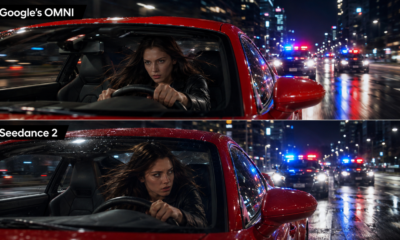
The result is an unusually direct contest. Omni Flash is Google’s bet on reasoning, ecosystem integration and conversational editing. Seedance 2.0 is ByteDance’s bet on multimodal control, motion, entertainment fluency and fast creator workflows. They overlap, but they do not feel identical.
What Gemini Omni Flash Is Best For
Gemini Omni Flash is best suited for creators and teams who need a flexible video generation layer that can reason across multiple inputs. The natural user is not only a filmmaker, but a creative strategist: someone who has a mood board, a product photo, a rough clip, a soundtrack idea and a written concept, then wants the model to synthesize those inputs into a coherent video.
This makes Omni particularly attractive for agencies, YouTube creators, product marketers, educators and small production teams already living in Google’s ecosystem. If a team uses Gemini for planning, Google Flow for visual development and YouTube as the publishing environment, Omni Flash reduces friction. The tool’s advantage is not merely that it can generate video. The advantage is that it sits close to the places where ideas, references and distribution already happen.
The most compelling use case is iterative concept development. A creative director can begin with a rough brand idea, generate a short visual direction, then refine the tone through conversation. “Make it less futuristic and more documentary.” “Keep the same character, but change the environment.” “Use the uploaded product shot as the hero object.” “Turn the pacing into something suitable for a YouTube pre-roll.” That kind of workflow is exactly where prompt-only tools feel brittle.
Omni Flash is also well suited for knowledge-grounded videos. Google says Omni combines Gemini’s reasoning with generative media capabilities and can generate videos grounded in real-world knowledge. That does not mean it should be trusted blindly for factual claims, but it does mean the model is designed for more context-aware generation than purely aesthetic video models. For explainers, visual metaphors, educational shorts and product demonstrations, that could become a meaningful differentiator.
Another good fit is video-to-video editing. The market has plenty of tools that can create a clip from scratch, but fewer that can take an existing clip and let the user manipulate it conversationally without forcing a full manual editing workflow. For social teams and smaller studios, this matters because most real work starts from something: a phone video, a rough animatic, a product render, a testimonial, a stock shot or a previous AI generation.
Where Omni Flash May Not Be the Best Choice
Omni Flash is not automatically the right tool for every video job. Its current positioning emphasizes short-form generation, multimodal inputs and conversational editing. That makes it powerful for ideation and controlled edits, but less obviously ideal for long-form structured production, enterprise avatar training, highly brand-safe commercial campaigns or specialized cinematic workflows where another tool has deeper production controls.
If your main task is producing a polished training video with a presenter speaking in multiple languages, Synthesia is usually a better fit. Synthesia is built around AI avatars, scripts, voiceovers, localization, enterprise security and LMS-style distribution rather than cinematic scene generation.
If your highest priority is brand safety and legal comfort for commercial marketing assets, Adobe Firefly deserves serious consideration. Adobe explicitly positions Firefly around commercial safety, permissioned training data and IP protection for qualifying plans. That does not make Firefly the most cinematic model in every situation, but for enterprise marketing departments, legal departments often matter as much as frame quality.
If your goal is a multi-shot cinematic sequence with consistent characters, locations and objects, Runway remains one of the strongest specialist choices. Runway’s Gen-4 was built around world consistency, using references and instructions to preserve characters, locations, objects, style and cinematographic language across scenes. For directors trying to build a sequence rather than a standalone clip, that consistency layer is not a luxury. It is the difference between a demo and a usable production asset.
Gemini Omni Flash vs Seedance 2.0
The cleanest way to compare Omni Flash and Seedance 2.0 is to say that Omni feels like a multimodal creative assistant, while Seedance feels like a multimodal video engine.
Omni’s likely strength is interpretive control. It is designed around Gemini’s reasoning, conversational editing and integration into Google Flow. For users who want to steer a video through natural language and combine references without building a complicated production pipeline, Omni is highly attractive. It is the model to reach for when the brief is still evolving and the creator wants to shape the result through dialogue.
Seedance 2.0’s strength is production momentum. ByteDance emphasizes audio-video joint generation, motion stability and director-level control. Its technical materials are unusually specific about supported durations, reference inputs and native resolutions. It also benefits from ByteDance’s cultural understanding of short-form video. That matters. TikTok-style content is not only about image quality; it is about rhythm, motion, visual punch and immediate recognizability.
For creators making social-first entertainment, Seedance 2.0 may feel more native. It is likely to shine in anime-inspired clips, dynamic camera moves, stylized character action, viral short scenes and fast-turnaround creative experimentation. If a creator wants to generate multiple energetic concepts in a style closer to social media and entertainment fandoms, Seedance is hard to ignore.
For brand teams, Omni may be easier to justify, especially if they already trust Google’s stack. Google’s advantage is ecosystem, enterprise familiarity and potential integration into broader Gemini workflows. A marketing team may prefer Omni for product explainers, platform-native YouTube experiments, concept boards and iterative edits. A creator studio may prefer Seedance for punchier short-form sequences where motion and audio-visual energy matter more than corporate workflow integration.
The risk profile also differs. Seedance 2.0 has already attracted copyright and likeness controversy because users reportedly generated videos involving protected entertainment properties and celebrity-like content. Omni has faced similar concerns in early coverage around recognizable copyrighted characters, which means neither model can be treated as a legal free-for-all. The practical lesson is simple: use these systems for original concepts, licensed materials and approved references, not for imitation of protected franchises or real people without permission.
How Runway Fits Into the Picture
Runway remains the tool for creators who think like filmmakers. Its biggest advantage is not that it can produce attractive clips; many tools can now do that. Its advantage is production vocabulary. Gen-4’s emphasis on consistent characters, objects and locations makes it useful for storyboards, short films, music videos, commercials and previsualization.
Use Runway when continuity is the priority. If the same character must appear across a city street, an apartment, a close-up and a car interior, Runway’s consistency features are directly relevant. If a director needs a controlled camera language, a coherent world and an aesthetic that survives across multiple shots, Runway is often a better choice than more general-purpose tools.
Omni Flash may compete with Runway as Google Flow matures, especially because Omni’s conversational editing could reduce the need for manual prompt surgery. But Runway has a head start with professional creators and a brand built around film-adjacent workflows. For serious narrative production, Runway remains one of the default tools to test.
How Sora Fits Into the Picture
OpenAI’s Sora 2 occupies a different space. OpenAI described Sora 2 as a flagship video and audio generation model with improved physical accuracy, realism, controllability, synchronized dialogue and sound effects. However, OpenAI has also changed the availability and product structure around Sora over time, which complicates its practical role for creators depending on region, account type and access.
Strategically, Sora matters because it shaped expectations for physically plausible AI video. It pushed the market toward longer, more coherent generated scenes and made “world simulation” part of the video-generation conversation. But availability matters. A tool that is technically impressive but not accessible in a stable production environment is less useful than a slightly weaker tool that a team can actually deploy.
Use Sora when it is available inside the workflow you are using and when realism, physics and synchronized audio are central. Do not build an entire production plan around it without confirming access, policy limits and export constraints. In 2026, the best video tool is not always the most famous model; it is the one that can reliably deliver inside your pipeline.
How Kling Competes
Kling has become one of the strongest names for motion, character action and social-video realism. Its recent positioning around broad multimodal capabilities, character consistency and audio makes it a natural competitor to both Seedance and Google. While official claims should always be tested in production, Kling’s reputation among creators has been built on fluid motion, cinematic movement and strong handling of human subjects.
Kling is worth using when motion is the brief. Dancing, sports, fight choreography, expressive body movement, camera sweeps and dynamic scenes often expose weaknesses in video models. If a model can maintain anatomy and motion under stress, it becomes valuable for entertainment, ads and creator content. Kling is also a good candidate when lip-sync and talking characters are required, though teams should compare outputs against Synthesia when the task is formal presenter video rather than cinematic dialogue.
Compared with Omni Flash, Kling may feel more specialized around kinetic generation. Compared with Seedance 2.0, it competes more directly in the social-entertainment lane. The decision often comes down to taste, access, pricing and whether the platform gives enough control over characters and references.
How Luma Ray Fits Into the Picture
Luma’s Ray line has leaned into realism, physics, high-fidelity motion and fast creative iteration. Luma positions Ray around stronger realism, physics, character consistency and instruction following, with recent versions adding higher-resolution generation, faster performance and lower cost.
Luma is a strong choice for visual exploration. It is especially useful when a team wants cinematic realism without building a heavy editing workflow. Product shots, atmospheric scenes, architecture, natural motion, camera exploration and visually rich concept clips are all good fits.
Use Luma when you want high-fidelity visual output quickly and do not need the deepest conversational editing layer. Omni Flash is more attractive when you need to keep talking to the model and refine an existing idea through multiple modalities. Luma is attractive when the priority is visual beauty, speed and motion coherence.
How Pika Fits Into the Picture
Pika is best understood as the playful social-video tool. It is not trying to be the most enterprise-safe platform or the deepest cinematic production suite. Its appeal is immediacy, effects and shareability. Pika’s public positioning emphasizes quick transformations, image-to-video generation and prompt-driven animation.
Use Pika when the job is a viral effect, a quick meme-like transformation, a playful product teaser or a social post that benefits from novelty. Do not use Pika as the first choice for a regulated enterprise campaign, long-form narrative continuity or a serious training library. It is strongest when speed and delight matter more than exact directorial control.
Compared with Omni Flash, Pika is lighter and more entertainment-oriented. Compared with Seedance, it is less of a full multimodal production model and more of a fast creative effects playground. That is not a weakness. It is a clear use case.
How Adobe Firefly Fits Into the Picture
Adobe Firefly is the tool for cautious professionals. It may not always generate the flashiest clip, but its value proposition is unusually clear: commercial safety, brand integration and professional creative workflows. Adobe positions Firefly around licensed and permissioned content sources, making it especially relevant for companies that need stronger assurances around commercial use.
That makes Firefly a serious option for enterprises, agencies, financial institutions, healthcare companies and global brands. In those environments, the key question is not “can this model make a cool video?” It is “can we publish this without creating legal, compliance or reputational risk?”
Use Firefly when the video is going into a paid campaign, a brand system or a corporate channel where provenance matters. Use Omni or Seedance earlier in the ideation phase if they help generate bolder concepts, then move into Firefly or Adobe’s broader suite when the asset must satisfy brand and legal constraints.
How Synthesia Fits Into the Picture
Synthesia should not be compared directly with Omni Flash as a cinematic generator. It is solving a different problem: scalable business communication. Synthesia is built for AI avatars, voiceovers, scripts, translation, templates and enterprise deployment. It is the right tool when the output needs to look like a presenter-led explainer, onboarding module, sales enablement video or compliance training asset.
Use Synthesia when the script matters more than the scene. If a company needs to turn a long policy update into a clean internal video in multiple languages, Omni Flash is not the obvious answer. Synthesia is. If an HR team needs consistent avatar-led training across markets, Synthesia is far more practical than a cinematic generator.
Omni could eventually generate more visually imaginative explainer scenes around a topic, but Synthesia remains stronger for repeatable, governed, human-presenter workflows.
The Practical Decision: Which Tool Should You Use?
For Gemini Omni Flash, the ideal user is a creator, marketer, educator or production team that wants multimodal generation plus conversational editing. Use it when you have mixed inputs and an evolving brief. Use it for YouTube concepts, product videos, educational shorts, rapid ad variations, video-to-video edits and creative development inside the Google ecosystem.
Use Seedance 2.0 when you need energetic, multimodal short-form generation with strong motion and audio-video integration. It is especially suitable for entertainment creators, social-first studios, music-video experiments, anime-style concepts, character-driven short scenes and creators who want to feed the model multiple references.
Use Runway when you need cinematic continuity. It is the better bet for multi-shot scenes, consistent characters, production-style previsualization and serious narrative experiments.
Use Kling when motion, action, bodies and expressive character performance are the priority. It is worth testing for dance, sport, stylized action and dialogue-heavy social clips.
Use Luma when you want visual realism, smooth motion and polished cinematic exploration without overcomplicating the workflow.
Use Pika when you want fast, playful, highly shareable effects.
Use Adobe Firefly when commercial safety, brand governance and legal comfort are the deciding factors.
Use Synthesia when the job is presenter-led business video, training, localization or internal communications at scale.
The Bottom Line
Google’s Gemini Omni Flash is not just another video generator. It is part of the industry’s move toward multimodal creative agents: systems that accept messy inputs, understand context, generate video with audio and let users edit through conversation. That makes it one of the most important tools for teams that want flexibility rather than a single-purpose clip machine.
But the market has matured enough that no single model should be treated as universal. Seedance 2.0 may be better for fast, vivid, entertainment-native generation. Runway may be better for narrative continuity. Firefly may be better for brand-safe campaigns. Synthesia may be better for corporate training. Pika may be better for viral effects. Luma may be better for polished visual exploration. Kling may be better for dynamic motion.
The smartest creators in 2026 will not choose one AI video tool and defend it like a religion. They will build a stack. Omni Flash belongs near the center of that stack for multimodal ideation and conversational editing. Seedance belongs near the edge where culture, motion and speed collide. The rest of the tools fill specialized roles. The winner is not the model with the loudest demo. It is the workflow that gets from idea to publishable video with the fewest compromises.








The most important thing about Grok is not that it is another chatbot. The market already has plenty of those. What makes Grok different is where it lives. On X, it is not sealed inside a private productivity app, waiting for a user to open a blank chat window and ask a carefully formed question. It sits inside the noisy, fast-moving, argumentative bloodstream of the internet. Users call it into conversations, ask it to explain viral clips, challenge political claims, summarize market rumors, interpret screenshots, generate memes, and turn chaotic threads into something closer to usable intelligence. In doing so, Grok has become more than a feature. It is one of the clearest experiments in what happens when artificial intelligence is embedded directly into a public social platform.
The AI Assistant That Lives Inside the Feed
Most AI tools begin with a prompt. Grok often begins with a post.
That distinction matters. A traditional chatbot session is usually private, deliberate, and task-oriented. A user asks for a draft email, a code snippet, a translation, a travel plan, or an explanation of a concept. Grok on X is more reactive. It is summoned in the middle of public discourse, often when a post is confusing, suspicious, technical, inflammatory, funny, or too dense to parse quickly.
The result is a different kind of AI behavior. Grok is not only answering questions. It is mediating attention.
On X, users face an endless stream of claims, charts, screenshots, breaking-news fragments, crypto narratives, political accusations, AI demos, product launches, and culture-war bait. The platform has always been fast, but speed creates a problem: people see information before they understand it. Grok enters that gap. A user can ask what a post means, whether a claim is supported, what context is missing, what a chart shows, whether an image appears manipulated, or how a thread can be summarized.
This makes Grok especially relevant for power users. Journalists, investors, creators, founders, traders, analysts, researchers, and highly online professionals do not use X merely for entertainment. They use it as a radar system. Grok strengthens that radar by giving users a way to interrogate the feed without constantly leaving the platform.
How Users Actually Use Grok on X
The most common public use case is simple: users ask Grok to explain something.
That “something” can be a macroeconomic chart, a scientific paper screenshot, a crypto wallet transaction, a legal document excerpt, a new AI benchmark, a policy announcement, a viral video, or a long argument between two accounts. X has always rewarded speed, but not necessarily clarity. Grok gives users a shortcut from exposure to comprehension.
A typical interaction might involve a user replying to a post and asking Grok to summarize the thread. Another might ask Grok to identify the source of a quote or check whether a claim is misleading. In crypto circles, users often ask for explanations of tokenomics, on-chain events, exchange flows, governance proposals, or sudden price movement narratives. In AI circles, they ask it to compare model releases, decode benchmark claims, or translate technical announcements into strategic implications.
This makes Grok a kind of public research assistant. It does not replace original reporting, domain expertise, or verification, but it can reduce the time between seeing a claim and forming a useful first interpretation.
The second common use case is dispute resolution. X is an argument machine. People argue over statistics, screenshots, translations, timelines, quotes, market data, and political claims. Instead of replying directly to an opponent, users increasingly bring Grok into the thread as a third party. The implicit message is: let the machine judge this.
That changes the social dynamic. A user who asks Grok to analyze a claim is not merely seeking information. They are performing verification in public. Grok becomes a referee, a fact-checking prop, a rhetorical weapon, or sometimes a shield against direct confrontation. In high-conflict threads, this is one of the more fascinating behaviors. People are not only asking “What is true?” They are asking “Can I outsource the burden of saying what is true?”
From Search Box to Sensemaking Engine
Search on X has always been powerful but messy. It can surface posts quickly, especially during breaking events, but it also returns noise, repetition, memes, bots, and emotionally charged commentary. Grok changes the search experience by adding interpretation on top of retrieval.
Instead of searching manually for a keyword, opening five posts, comparing screenshots, and trying to infer the timeline, a user can ask Grok for a summary of what people are saying about an event. They can ask for the strongest arguments on both sides of a debate, the origin of a rumor, or the most relevant context behind a trending phrase.
This is especially useful during fast-moving news cycles. X often sees stories before traditional outlets publish polished reports. That early window is valuable, but it is also dangerous. Rumors travel quickly. Images are miscaptioned. Old videos are presented as new. Selective screenshots distort the underlying event. Grok helps by giving users a way to slow the feed down.
The best use of Grok is not blind trust. It is assisted skepticism. A good user asks follow-up questions. Where did this claim come from? What evidence supports it? What are people leaving out? Is this chart measuring what the post says it measures? Is the account reliable? Has this claim appeared before? Are there competing explanations?
In that role, Grok becomes less like a search engine and more like a sensemaking layer. It helps users turn fragments into structure.
What People Generate With Grok
Grok’s creative side has become just as visible as its analytical side. Users generate images, memes, visual jokes, stylized scenes, fake posters, conceptual art, product mockups, and social content designed specifically for X’s attention economy.
This matters because X is a platform where visuals travel faster than explanations. A strong image can become a reaction, a brand asset, a joke, or a mini-campaign. Grok gives users a way to move from idea to asset without leaving the conversation. A creator can take a viral moment and ask Grok to turn it into a comic-style image. A crypto account can generate a mascot for a token narrative. An AI founder can mock up a product concept. A meme account can create a parody image that riffs on the day’s controversy.
The creative workflow is iterative. Users do not simply ask for one image and stop. They refine. Make it more cinematic. Add a bull market mood. Turn the character into a robot. Make it look like a courtroom sketch. Add a Solana hoodie. Remove the text. Make it darker. Make it funnier. Make it look like a 1990s trading card.
That iterative loop fits X perfectly. The platform rewards rapid reaction. Grok shortens the distance between a cultural moment and a shareable artifact.
There is also a more serious use case: visual explanation. Users can generate diagrams, conceptual illustrations, announcement graphics, and educational images. A crypto analyst might create a simple visual explaining staking flows. An AI educator might generate an image that represents model training, inference, or agentic workflows. A founder might create an image for a product teaser. The quality varies, but the speed is the point.
Grok as a Tool for Creators
For X creators, Grok is becoming a production assistant.
The most obvious use is writing. Users ask it to draft posts, tighten long explanations, turn research notes into threads, rewrite announcements, generate hooks, or adapt a technical idea for a broader audience. A creator who has a rough thesis can use Grok to structure it into a thread with a clear opening, evidence, and conclusion.
But the more interesting use is editorial judgment. Creators can ask Grok what is unclear in a draft, what objections readers might raise, or how to make a post more concise. They can ask it to summarize replies and identify recurring questions from an audience. They can use it to analyze which parts of a debate are substantive and which are performative.
For people who publish daily, this matters. The bottleneck is not always writing. Often it is deciding what matters, what angle to take, and how to package the idea. Grok helps creators navigate that layer.
It also helps with repurposing. A long livestream can become a post. A post can become a thread. A thread can become an article outline. A chart can become a caption. A dense AI paper can become a short explainer. A crypto governance proposal can become a plain-English summary.
This does not remove the need for taste. In fact, it raises the value of taste. When everyone has access to instant drafts and images, the advantage shifts to those who know what to ask, what to reject, and what to publish.
Grok in Crypto Twitter
Crypto Twitter, or CT, is one of Grok’s natural habitats.
Crypto discourse is fast, fragmented, and highly narrative-driven. Prices move before full explanations settle. Screenshots of wallets circulate. Founders post cryptic hints. Traders argue over liquidation levels. Protocol teams announce upgrades. Influencers frame every development as bullish or bearish. In that environment, Grok becomes a useful first-pass analyst.
Users ask it to explain token unlock schedules, summarize governance proposals, interpret public wallet activity, compare protocol mechanics, and simplify technical documentation. They also use it to detect contradictions in marketing claims or to ask whether a post is overstating what a partnership, listing, or upgrade actually means.
For traders, Grok’s value is not that it predicts markets. That would be the wrong standard. Its value is that it helps organize information quickly. A trader seeing a sudden narrative around a token can ask what the project does, what recent posts are driving attention, what risks are obvious, and what questions remain unanswered.
The danger is overreliance. Crypto is full of adversarial information. Accounts promote bags. Communities coordinate narratives. Screenshots can be fake. Liquidity can be thin. Grok can help analyze claims, but it cannot magically turn a noisy social feed into clean truth. The best crypto users treat it as an assistant, not an oracle.
Grok in AI Discourse
In AI circles, Grok occupies an even more self-referential role: an AI tool used to analyze the AI industry.
Users ask it to compare model releases, explain benchmark results, summarize research papers, critique demos, and translate technical claims into practical consequences. When a company releases a new model, X immediately fills with benchmark screenshots, anecdotal tests, hype, skepticism, and competitive dunking. Grok can help users sort that material.
For example, a user might ask whether a new model’s benchmark improvement is meaningful, whether a demo shows genuine reasoning or clever prompting, or how a technical architecture differs from previous systems. They might ask Grok to explain agentic AI, multimodality, inference cost, context windows, reinforcement learning, or synthetic data in a way that fits a post or thread.
This is useful because AI discourse often swings between two extremes: marketing language and academic language. Grok can translate between them. It can turn a dense paper abstract into a strategic summary. It can turn a product announcement into a list of likely business implications. It can turn a benchmark table into a more readable comparison.
Again, the limitation is accuracy. AI changes quickly, and benchmark claims are often contested. Grok can help users understand the conversation, but users still need judgment about what the evidence proves.
The Public Nature of Asking an AI
One of the most unusual aspects of Grok on X is that many interactions are public.
That creates a new social format. In a private chatbot, the prompt disappears into a personal workflow. On X, the prompt itself becomes part of the conversation. A user can ask Grok to settle an argument, and everyone can see both the request and the response. This makes AI interaction performative.
Sometimes the performance is sincere: a user genuinely wants clarity. Sometimes it is strategic: a user wants Grok to validate their side. Sometimes it is comedic: a user asks Grok to roast a post, explain a meme, or produce an absurd image. Sometimes it is adversarial: users try to push the model into controversial, biased, or unsafe outputs.
This public setting makes Grok different from assistants that live in email clients, office suites, or coding environments. It is not just helping individuals complete tasks. It is participating in social dynamics. It can cool down a dispute by reframing a claim neutrally, or it can intensify a dispute if users treat its answer as ammunition.
The key point is that Grok is not outside the platform’s incentives. It is inside them. X rewards speed, conflict, humor, novelty, and visibility. Grok inherits that environment.
The Benefits: Speed, Context, and Compression
Grok’s strongest benefit is compression.
It compresses long threads into summaries. It compresses confusing debates into core disagreements. It compresses technical documents into plain language. It compresses scattered posts into a narrative. It compresses creative production from hours into minutes.
For users who follow markets, technology, politics, or culture, this compression is valuable. It helps them move faster without necessarily becoming more superficial. A good summary can be the beginning of deeper investigation. A fast explanation can help a user decide whether something deserves more attention.
Grok also provides contextual continuity. X is full of posts that assume prior knowledge. A single sentence may refer to a months-long feud, a protocol exploit, a court case, a meme, a company rivalry, or a regulatory debate. Grok can fill in that missing background.
This lowers the entry barrier for complex conversations. A user does not need to have followed every previous thread to understand the current one. They can ask for context and catch up.
The Risks: Hallucination, Bias, and Synthetic Noise
The risks are equally real.
First, Grok can be wrong. Like other large language models, it can produce confident answers that require verification. On X, where users often want fast confirmation, a confident but flawed answer can spread easily.
Second, Grok can inherit the bias of the conversation around it. If a prompt frames a situation aggressively, the response may reflect that framing unless the user asks for neutrality. If the available posts around a topic are dominated by one community, the summary may overrepresent that community’s view.
Third, Grok can increase synthetic noise. If users generate more posts, images, replies, memes, and summaries at scale, the platform becomes even more AI-mediated. That may improve productivity for some users, but it can also make the feed feel less human, more repetitive, and more easily manipulated.
Fourth, image generation introduces abuse risks. AI-generated visuals can be used for satire, education, branding, and creativity, but also for harassment, impersonation, sexualized manipulation, or misleading political content. Any AI image tool embedded in a social platform must navigate that tension constantly.
The larger issue is not whether Grok is good or bad. It is that Grok amplifies user intent. Serious users can become sharper. Lazy users can become louder. Bad actors can become more efficient.
Grok and the Future of Social Search
The deeper shift is that X is becoming less like a social network with search and more like a social database with an AI interface.
For years, users searched X manually. They typed keywords, filtered by latest, followed lists, tracked accounts, and built intuition about who mattered in which niche. Grok adds a conversational layer on top of that behavior. Instead of searching only for posts, users can search for meaning.
That could reshape how people consume real-time information. In the future, users may not scroll through hundreds of posts about a breaking story. They may ask an assistant to summarize the credible claims, identify disputed points, surface primary sources, compare reactions from different communities, and monitor updates.
For X, this is strategically important. The platform’s greatest asset is not just its user base. It is the live conversation graph: who is saying what, when, to whom, and with what reaction. Grok turns that graph into an interface.
For users, the opportunity is leverage. The risk is dependency.
The Skill That Matters Most: Asking Better Questions
Grok rewards users who know how to ask.
A weak prompt asks, “Is this true?” A stronger prompt asks, “What evidence supports this claim, what evidence contradicts it, and what context is missing?” A weak prompt asks, “Summarize this.” A stronger prompt asks, “Summarize this thread for a crypto investor who wants to understand the market impact but not the drama.” A weak prompt asks, “Make an image.” A stronger prompt gives style, subject, mood, format, and intended audience.
As AI becomes embedded into social platforms, prompt quality becomes a form of literacy. Users who ask vague questions get generic answers. Users who ask precise questions get leverage.
The same applies to analysis. Grok is most useful when users treat it as a collaborator that can be challenged. Ask for sources. Ask for uncertainty. Ask for alternative interpretations. Ask what would change its conclusion. Ask what the post is not saying.
The best users do not outsource thinking to Grok. They use Grok to accelerate thinking.
A New Layer Between Users and Reality
Grok’s rise on X shows where social media is heading. The feed is no longer just human posts, algorithmic ranking, and community moderation. It now includes AI interpretation, AI generation, AI dispute mediation, and AI-assisted creativity.
That changes the user experience at a fundamental level. A person scrolling X is no longer limited to reading, liking, replying, reposting, or searching. They can interrogate the feed. They can ask the platform to explain itself. They can generate counter-content immediately. They can turn confusion into a prompt.
For the tech-savvy user, this is powerful. Grok can make X more useful as a research terminal, creative studio, and real-time intelligence layer. It can help users analyze posts, decode trends, summarize debates, generate visuals, and participate more effectively in fast-moving conversations.
But the tool’s value depends on discipline. Grok should not be treated as the final authority on truth, markets, politics, science, or culture. It is better understood as an accelerator: fast, flexible, sometimes brilliant, sometimes flawed, and deeply shaped by the environment in which it operates.
On X, that environment is chaotic by design. Grok does not remove the chaos. It gives users a new way to navigate it.
AI Model
Google’s Gemini Omni Flash Raises the Stakes in AI Video: Multimodal Creation Becomes the New Battleground
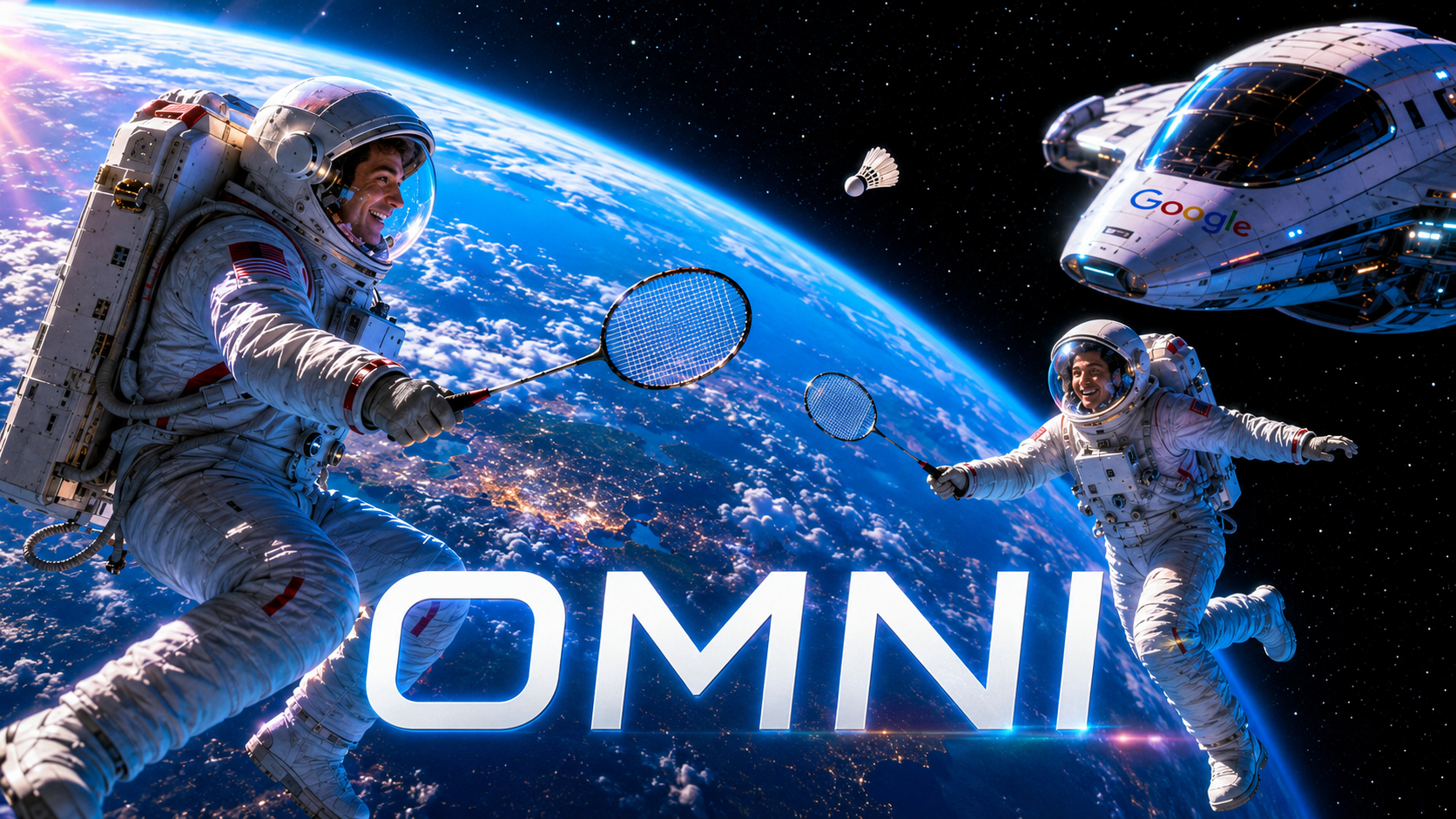
Google’s new Gemini Omni Flash arrives at a moment when AI video is shifting from novelty to production infrastructure. The first wave of tools impressed creators by turning text prompts into short cinematic clips. The next wave is more ambitious: it wants to understand images, audio, reference videos, character identity, editing intent, physical motion, and narrative continuity all at once. Omni Flash is Google’s bid to make video generation feel less like prompting a black box and more like directing a flexible creative system. The question is not simply whether it can produce beautiful clips. The real question is whether Google can turn its enormous AI ecosystem into a durable advantage against OpenAI, Runway, Luma, Adobe, ByteDance, Kling, and the growing field of specialized video labs.
From Text-to-Video to “Anything-to-Video”
Gemini Omni is Google’s new generative media family, and Omni Flash is its first release. According to Google’s announcement, the model is designed to create video from multiple input types, including text, images, audio, and existing video, while also allowing conversational editing. That matters because the most frustrating part of AI video has never been the first generation. It has been the second, third, and fourth revision. A clip may look impressive, but changing one object, preserving a character, adjusting a camera move, or extending a scene without breaking continuity can still feel like gambling.
Omni Flash is positioned as a correction to that problem. Rather than asking users to start over each time, Google is pushing a model that can interpret feedback in plain language and apply it to an existing clip. The company also says Omni is grounded in Gemini’s broader world knowledge, which could make it stronger at scenes that require factual context, real-world behavior, or cause-and-effect reasoning.
The “Flash” label is also important. In Google’s model naming, Flash usually signals a faster, more accessible tier rather than the absolute highest-quality version. That implies Omni Flash may be the first mass-market expression of a broader architecture, not the final form of Google’s video ambitions. It is built for distribution across Google’s consumer and creator surfaces, including the Gemini app, Flow, and YouTube-related tools, rather than being limited to a research demo or a premium production suite.
What Makes Omni Flash Different
The headline feature is multimodal input. Many AI video systems now support text-to-video and image-to-video, but Omni Flash is meant to take text, images, audio, and video together. In practical terms, that means a creator could provide a rough sketch, a reference photo, a voice note, and a short clip, then ask the system to produce a coherent video from that mixed creative brief.
That is a different mental model from traditional prompting. Text-to-video asks users to describe everything in words. Omni-style generation lets creators show the model what they mean. This can reduce prompt engineering and make the tool more useful for filmmakers, advertisers, educators, social creators, and product teams that already work with mood boards, storyboards, brand assets, audio references, and rough cuts.
The second differentiator is conversational editing. Google is not merely selling Omni Flash as a generator; it is selling it as an editor. That distinction matters. The winners in AI video will not necessarily be the models that generate the most dazzling first clip. They will be the systems that let users revise clips reliably. Creative work is iterative. A model that can remember context, preserve characters, respond to natural-language direction, and avoid destroying the composition during edits becomes much more valuable than one that produces a one-off visual spectacle.
The third differentiator is ecosystem placement. Google owns YouTube, Android, Gemini, Google Photos, Workspace, and a large developer platform. If Omni Flash becomes deeply integrated across these surfaces, it could gain a distribution advantage that independent AI video companies cannot easily match. A model inside YouTube Shorts or creator tools has a different path to adoption than a standalone web app that users must actively seek out.
The Veo Question
Omni Flash does not exist in isolation. Google already has Veo, its flagship video generation line. Veo 3 introduced native audio generation, including sound effects, ambience, and dialogue, while later Veo 3.1 updates emphasized stronger audio, narrative control, and creative controls through the Gemini API and Flow.
That creates an obvious question: is Omni Flash replacing Veo, complementing it, or becoming the new umbrella for Google’s generative media strategy?
The most plausible answer is complementing, at least for now. Veo appears optimized around high-quality video generation and cinematic control. Omni Flash appears optimized around multimodal creation and conversational editing. Veo is the engine for polished video synthesis; Omni is the broader creative intelligence layer that can reason across inputs and revisions. Over time, those lines may blur. Google may eventually fold Veo-like generation quality into Omni-branded products, or use Omni as the interface layer that routes tasks to specialized models underneath.
For creators, the distinction is less important than the workflow. If Omni Flash can take a reference image, a voice cue, an existing clip, and a natural-language edit instruction, then output a usable scene quickly, it will feel more like a creative assistant than a generator. That is the strategic shift.
Strengths: Google’s Biggest Advantages
Omni Flash’s first strength is input flexibility. In a market where most creators already combine assets from different sources, the ability to use multiple modalities is not a gimmick. It is closer to how creative work actually happens. Directors reference films. Designers use sketches. Marketers work from product shots. Musicians think in rhythm and tone. A video model that accepts all these signals can reduce the gap between intention and output.
Its second strength is conversational iteration. If Google can make editing reliable, Omni Flash could solve one of AI video’s biggest bottlenecks. Current tools often struggle when users ask for precise revisions. A prompt like “keep the same character, but change the background to a rainy Tokyo street and make the camera track left” may produce something close, but it may also change the face, clothing, lighting, or framing. A model designed around dialogue and context has a better chance of making AI video feel controllable.
The third strength is Gemini’s reasoning layer. Video generation has traditionally been judged on visual fidelity, but the next generation of systems will be judged on whether they understand what is happening. A model that knows how objects should behave, how people interact, how a scene should unfold, and how cause leads to effect can produce more believable motion. This is where Google’s claim that Omni connects Gemini’s reasoning with media creation becomes strategically important.
The fourth strength is distribution. Google can place Omni Flash in the Gemini app, Flow, YouTube Shorts, and other creator surfaces. That gives it access to casual users, professional creators, developers, and advertisers. OpenAI had a similar consumer-distribution insight with Sora’s social app strategy, but Google’s YouTube advantage is unique. If AI video becomes part of the everyday Shorts workflow, Google does not need to convince creators to move to a new platform.
The fifth strength is trust infrastructure. Google has spent years promoting SynthID watermarking for AI-generated content, and Omni Flash is arriving in a climate where deepfakes, synthetic influencers, political misinformation, and copyright disputes are central concerns. For enterprise users, advertisers, and media organizations, provenance and policy may matter almost as much as image quality. TechRadar reported that Google is emphasizing SynthID and verification tools around Omni’s rollout.
Weaknesses: Where Omni Flash Still Looks Exposed
The first weakness is duration. Early reporting indicates Omni Flash currently generates video and audio clips up to around 10 seconds, with longer durations planned. That is competitive for social snippets, ads, memes, product teasers, and concept shots, but it is not enough for full narrative production without stitching multiple generations together.
The second weakness is uncertainty around quality versus Google’s own Veo line. Flash-branded models are usually optimized for speed and accessibility. That may make Omni Flash highly usable, but it may not always match the highest visual fidelity of Veo, Sora, Runway, or Luma in premium use cases. Until creators test it broadly, the risk is that Omni Flash becomes known as the convenient Google model rather than the most cinematic one.
The third weakness is control. Conversational editing sounds powerful, but professional users need repeatability. They want to know whether the model can preserve a character across shots, maintain brand colors, follow camera language, honor exact timing, and export assets that fit real production pipelines. If Omni Flash handles broad edits well but fails on precise continuity, it will be more useful for social creation than serious filmmaking.
The fourth weakness is policy friction. Google tends to be more cautious than some competitors, particularly around real people, likenesses, and potentially sensitive content. That caution may make Omni safer for mainstream distribution, but it can also make creators feel constrained. The more powerful the model becomes, the more Google will need to balance creative freedom against abuse prevention.
The fifth weakness is market confusion. Google now has Gemini, Veo, Flow, Nano Banana, Gemini 3.5, Omni, and other AI brands in circulation. For insiders, this ecosystem makes sense. For creators and businesses, it may feel fragmented. Google needs to explain clearly what Omni Flash is for, when to use it instead of Veo, and how it fits into existing creative tools.
OpenAI Sora: The Cultural Rival
OpenAI’s Sora remains the most culturally recognizable AI video brand. Sora 2, released in 2025, emphasized greater physical accuracy, realism, controllability, and synchronized dialogue and sound effects. OpenAI framed it not just as a video model but as a step toward richer world simulation.
Against Sora, Omni Flash’s advantage is multimodal workflow and Google integration. Sora’s strength has been cinematic impact, viral usability, and OpenAI’s ability to create a product that feels immediately exciting. Omni Flash is more likely to win users who want to build from existing materials, revise through conversation, and publish across Google’s ecosystem.
Sora’s weakness has been controversy and operational complexity. AI video at consumer scale raises moderation, copyright, likeness, and compute-cost challenges. Omni Flash will face the same problems, but Google’s more controlled rollout and watermarking infrastructure may make it more palatable to advertisers and platforms. That said, caution can also slow momentum. OpenAI has often been willing to create a sharper consumer experience, while Google sometimes ships powerful tools inside product layers that feel less bold.
Runway Gen-4: The Filmmaker’s Tool
Runway Gen-4 is one of Omni Flash’s most important creative competitors because it focuses on consistency, one of AI video’s hardest problems. Runway says Gen-4 can maintain consistent characters, objects, and scenes across different lighting conditions, locations, and treatments using references. That is precisely the kind of reliability filmmakers need for multi-shot storytelling.
Compared with Runway, Omni Flash’s advantage is broader multimodality and potentially deeper reasoning. Runway has built a strong reputation among creators who care about visual workflows, stylization, and production-oriented tools. Google’s opportunity is to make the process more conversational and more deeply integrated with knowledge, audio, and distribution.
Runway’s advantage is focus. It is a company built around creative tooling. Its interface, community, and product language are aimed directly at filmmakers, designers, and studios. Google’s challenge is that its tools sometimes serve too many audiences at once. A YouTube creator, a Gemini user, an enterprise marketer, and a film editor do not need the same interface.
Luma Ray: Cinematic Motion and Visual Polish
Luma’s Ray models have earned attention for cinematic motion, image-to-video generation, and creator-friendly workflows. Ray 2 supported short video generations, including 5- and 9-second clips at 540p and 720p through Amazon Bedrock, while Luma’s newer Ray3 positioning emphasizes reasoning-driven video and cinematic creation.
Luma’s strength is visual taste. Its models have often appealed to creators looking for fluid camera moves, stylized realism, and polished short clips. Against Luma, Omni Flash will need to prove that intelligence does not come at the expense of beauty. A model can understand a prompt perfectly and still produce dull footage. For creative professionals, mood, lighting, texture, and motion language matter.
Omni Flash’s edge is likely to be editability and input diversity. Luma may remain attractive for creators chasing a specific cinematic look, while Omni Flash may appeal to users who want to combine assets, iterate quickly, and move from idea to publishable clip inside a broader platform.
Adobe Firefly Video: The Enterprise-Safe Alternative
Adobe Firefly Video occupies a different strategic position. It is not trying to be the wildest AI video playground. It is trying to be commercially safe, integrated into Creative Cloud, and suitable for professional production environments. Adobe has repeatedly emphasized that Firefly is designed around IP-safe generation, with Firefly Video powering tools such as Generate Video and Generative Extend in Premiere Pro.
This makes Adobe a serious competitor for enterprise users. A marketing department, agency, broadcaster, or brand studio may care less about viral AI magic and more about licensing risk, workflow integration, and legal confidence. Adobe’s advantage is trust within existing creative pipelines. Premiere Pro, After Effects, Photoshop, Illustrator, and Express are already where many professionals work.
Omni Flash’s advantage over Adobe is intelligence and distribution. Google can potentially make AI video creation more conversational, more multimodal, and more accessible across consumer platforms. Adobe may win the post-production suite; Google may win the creation layer for users who start in Gemini, YouTube, or Flow. The battle between them will be less about who can generate a better five-second clip and more about where creators want to spend their working day.
ByteDance Seedance and the China-Led Video Race
ByteDance’s Seedance is another major competitor, especially because it targets multi-shot generation, prompt adherence, smooth motion, and high-resolution output. Seedance 1.0 supports text- and image-based multi-shot video generation and claims 1080p output with cinematic aesthetics. Its technical report highlights instruction following, motion plausibility, and efficient inference as core goals.
Seedance 2.0 has pushed further into native multimodal audio-video generation, supporting text, image, audio, and video inputs, with reported generation durations from 4 to 15 seconds and native 480p or 720p output.
This makes Seedance one of the closest conceptual rivals to Omni Flash. Both are moving beyond text-to-video toward multimodal input and audio-video generation. ByteDance also has a massive short-video ecosystem through TikTok and Douyin, making it one of the few companies that can match Google’s distribution power in social video.
The difference is market geography, product access, and trust. Google’s ecosystem is stronger across Search, Android, YouTube, and enterprise cloud. ByteDance has unmatched short-video DNA and a deep understanding of creator behavior. If AI video becomes primarily a social format, ByteDance has a natural advantage. If it becomes an AI assistant and platform workflow, Google may have the upper hand.
Kling, Pika, and Specialized Creator Models
Kling has become a serious player in AI video, with newer model families emphasizing native audio generation, motion control, and complete audio-visual scenes. Scenario’s Kling documentation describes Kling 2.6 as supporting voices, sound effects, ambience, emotional tone, and synchronized motion in a single pass.
Pika, meanwhile, has leaned into creator-friendly features, including expressive animation and sound-synced performances. Pika’s own site promotes Pikaformance as a model for making images sing, speak, rap, or perform with synchronized audio.
These tools may not have Google’s infrastructure, but they often move quickly and serve specific creative behaviors. Pika understands meme culture and expressive edits. Kling has built a reputation for strong motion and accessible generation. Specialized tools can win niches even when larger platforms dominate the general market.
Omni Flash’s challenge is to avoid becoming too generic. The best AI video tools are not just technically capable; they develop a creative personality. Runway feels like a filmmaker’s lab. Pika feels playful. Adobe feels professional and safe. Sora feels viral and cinematic. Google needs Omni Flash to feel like something more specific than “the video feature inside Gemini.”
The Real Competitive Axis: Control, Consistency, and Context
The AI video market is often compared through resolution, duration, and realism. Those metrics matter, but they are not the full story. The deeper competition is about control, consistency, and context.
Control means the creator can steer the result. It includes camera motion, framing, lighting, pacing, character action, scene transitions, and audio design. Consistency means the same character remains recognizable, the same object keeps its form, and the same world persists across shots. Context means the model understands the purpose of the scene, not just the words in the prompt.
Omni Flash is clearly aimed at context. Its promise is that Gemini’s reasoning can guide media generation. If that works, it could make the model better at instructional clips, product explainers, educational animations, scientific visualizations, and narrative scenes where cause-and-effect matters.
But professional creators will judge it on control and consistency. They will ask whether they can build a campaign around the same character, produce multiple scenes with the same product, or revise a clip without starting from scratch. That is where Runway, Seedance, Veo, Sora, and Adobe will keep pressure on Google.
Safety, Deepfakes, and the Likeness Problem
Omni Flash also enters a more dangerous phase of AI media. Text-to-image misinformation was already a problem, but video plus audio plus likeness generation is much more powerful. A realistic synthetic clip with synchronized voice can influence markets, reputations, elections, and personal safety.
Google appears aware of this. Its use of SynthID and verification tools is not just a technical footnote; it is part of the product’s license to operate. The more Omni Flash spreads into YouTube and consumer tools, the more important provenance becomes.
Still, watermarking is not a complete solution. Bad actors can crop, compress, re-record, or alter media. Viewers may not check provenance. Platforms may enforce policies inconsistently. The broader challenge is cultural: when synthetic video becomes cheap and abundant, audiences may become less trusting of all video, including authentic footage.
This is where Google’s cautiousness could become a strength. A more restricted Omni Flash may frustrate some creators, but it could be more acceptable to regulators, advertisers, educators, and enterprises. The company’s ability to combine creation tools with detection and labeling may become a key differentiator.
What Omni Flash Means for Creators
For creators, Omni Flash suggests a future where video production becomes more conversational. Instead of learning complex editing software for every task, users may describe changes, provide references, and let the model perform the technical work. That does not eliminate craft. It changes where craft sits.
The creative advantage will move toward taste, direction, story, asset selection, and iteration. A creator who can communicate visual intent clearly, choose strong references, and refine outputs intelligently will outperform someone who merely types prompts. The model becomes a production partner, not a replacement for creative judgment.
For solo creators, this could be liberating. Short-form video, ads, trailers, explainers, and concept scenes could become faster and cheaper. For professional studios, the opportunity is previsualization, pitch material, background plates, rough concepts, and low-cost iteration. For brands, Omni Flash could turn static assets into campaign videos at scale.
The risk is sameness. If millions of creators use the same model through the same interface, visual styles may converge. The market will reward creators who bring distinctive direction, proprietary assets, and strong editorial taste.
What It Means for Google
For Google, Omni Flash is more than a video model. It is a strategic bridge between Gemini, YouTube, Flow, and generative media. Search is becoming more visual and interactive. YouTube is becoming more AI-assisted. Gemini is becoming more agentic and multimodal. Omni gives Google a creative layer that can operate across all of those surfaces.
The company’s biggest opportunity is to make AI video creation feel native. OpenAI can build a social app. Runway can build a production suite. Adobe can extend Creative Cloud. But Google can put multimodal video generation in the places where billions of people already search, watch, create, and share.
The danger is execution. Google has often had excellent AI research and uneven product packaging. If Omni Flash is fragmented across Gemini, Flow, YouTube Shorts, and developer tools without a clear user journey, competitors with sharper product focus may keep winning mindshare.
Verdict: A Powerful First Move, Not Yet a Knockout
Gemini Omni Flash looks like one of Google’s most strategically important media launches because it reframes AI video as multimodal, conversational, and ecosystem-native. Its strongest qualities are input flexibility, natural-language editing, Gemini-powered context, distribution through Google platforms, and a safety posture built around provenance.
Its weaknesses are equally clear. Early clip duration appears limited. The “Flash” tier may not always represent peak cinematic quality. Professional-grade consistency still needs proof. Google’s safety policies may constrain some creative use cases. And the product story must be clearer in a crowded lineup that already includes Veo and Flow.
Against Sora, Omni Flash may be less culturally explosive but more workflow-oriented. Against Runway, it may be broader but less filmmaker-focused. Against Luma, it may be smarter but must prove visual taste. Against Adobe, it may be more flexible but less embedded in professional post-production. Against Seedance and Kling, it must compete with fast-moving models that are increasingly strong in audio-video generation and multi-shot coherence.
The bigger takeaway is that AI video is entering its second act. The first act was about making clips from prompts. The second is about building controllable creative systems that understand context, preserve continuity, generate sound, accept references, and revise through conversation. Omni Flash is Google’s clearest signal yet that the future of video generation will not be text-to-video alone. It will be anything-to-video, edited by dialogue, distributed through platforms, and judged by whether it can turn creative intent into repeatable results.
For now, Omni Flash is not the end of the AI video race. It is Google declaring that the race has moved to a larger track.
Google’s most recent I/O was not simply another developer conference packed with product updates, model names, and polished demos. It was a statement of intent. The company is trying to move artificial intelligence away from the familiar chatbot box and into the creative, commercial, and operational layers of the internet. Search, Workspace, Android, YouTube, Gemini, developer tools, shopping, and hardware all received attention, but the most culturally significant announcement may be Google’s new AI video direction: Gemini Omni, beginning with Omni Flash.
The reason is straightforward. Video is now the dominant language of the web. It sells products, explains technology, moves politics, builds personal brands, teaches skills, entertains audiences, and shapes public memory. Text generation changed how people draft and research. Image generation changed how people visualize ideas. Video generation could change how people produce media itself. Google’s latest event made clear that the company sees this as the next major frontier, and Gemini Omni is its attempt to make generative video feel less like a prompt experiment and more like a real creative workflow.
Google I/O Becomes an AI Infrastructure Event
At Google I/O 2026, artificial intelligence was not presented as a feature category. It was presented as the connective tissue across Google’s entire product universe. The company introduced or highlighted new Gemini models, deeper AI features in Search, updates for creators, Workspace improvements, developer tools, smart-glasses ambitions, agentic software experiences, and new creative applications.
That breadth is important because Google is not trying to win the AI race with one product. It is trying to make AI unavoidable across the services people already use. The Gemini app becomes more capable. Search becomes more agentic. YouTube becomes easier to interrogate and create for. Google Flow becomes a more serious creative environment. Developers get new model access through Google’s tooling. Consumers get AI features that are closer to daily utility than isolated demos.
Within that larger strategy, Gemini Omni stands out because it moves Google into a more advanced phase of generative media. The model is positioned around a simple but ambitious idea: create anything from any input. In its first form, that means video. Users can begin with text, images, audio, or existing video material and ask the model to generate or edit new video outputs.
That is a meaningful departure from the first generation of AI video tools. Earlier tools generally behaved like text-to-video machines. You described a scene, waited for a clip, and then tried again if the result missed the mark. Gemini Omni is being framed as something more flexible: a multimodal creative system that can understand references, preserve context, and respond to conversational editing instructions.
For Google, this is not just a model launch. It is a platform move.
Gemini Omni: The New Centerpiece of Google’s AI Video Push
Gemini Omni is Google’s new family of multimodal generative models, with Omni Flash as the first model focused on video. The name matters. “Omni” signals that Google wants to collapse the boundaries between input types. Text, photos, audio, and video are no longer separate creative lanes. They become ingredients inside one generative workflow.
This is the key difference between a simple video generator and what Google is trying to build. In a simple generator, the prompt is the main interface. In Omni, the project itself becomes the interface. A creator might upload a product photo, attach a short reference video, describe the desired camera movement, add a mood reference through audio, and then ask the model to generate a polished short clip. After that, the creator can revise it in plain language.
That editing layer is arguably more important than the initial generation. The first wave of generative AI trained users to write prompts. The next wave will train users to direct systems. Instead of “make a cinematic shot of a futuristic city,” the workflow becomes more iterative: keep the character, make the lighting colder, slow the camera movement, change the background to a rainy Tokyo street, preserve the jacket, and match the music’s tempo.
That sounds like a small usability improvement, but it changes the production model. Creative work rarely happens in one command. It happens through revision. A director does not usually get the perfect shot on the first take. A designer does not usually ship the first mockup. An editor does not usually lock the first cut. Gemini Omni is important because it recognizes that serious media creation depends on iteration, not just generation.
Why Video Is the Hardest AI Medium
Video is the most demanding generative medium because it combines almost every difficult AI problem at once. A model must understand objects, people, motion, lighting, camera perspective, sound, timing, speech, physics, continuity, and narrative intent. A still image can survive small errors because the viewer only sees one moment. Video exposes every weakness across time.
If a person’s face changes between frames, viewers notice. If a hand mutates mid-motion, viewers notice. If a car turns in a physically impossible way, viewers notice. If a glass falls but the sound arrives too late, viewers notice. If a character wears a red jacket in one shot and a blue one in the next, the illusion breaks.
That is why Google’s focus on multimodal understanding matters. A useful AI video model cannot merely generate attractive frames. It needs to understand what should remain stable and what can be changed. It needs to know that a character’s identity matters across shots, that a product logo should not deform, that a room has spatial structure, and that audio should align with visual action.
This is where Gemini Omni appears to build on the direction Google had already established with Veo, its video-generation model family. Veo pushed Google deeper into high-quality video generation, including native audio and stronger creative controls. Gemini Omni takes the next step by making video generation and video editing more conversational and input-flexible.
In other words, Veo demonstrated Google’s ability to generate increasingly capable video. Omni points toward a future in which the user does not need to think as much about generation mechanics. The user thinks in creative intent.
From Text-to-Video to Any-Input Video
The phrase “text-to-video” already feels too narrow for where the industry is heading. Text is a powerful interface, but it is not always the best way to describe visual ideas. Sometimes a photo says more than a paragraph. Sometimes a rough sketch is better than a written prompt. Sometimes a song defines the mood more precisely than adjectives. Sometimes an existing video clip provides the motion, composition, or pacing that words cannot capture cleanly.
Gemini Omni’s promise is that all of those can become inputs. A creator can give the system reference materials instead of trying to translate everything into text. That makes the model more useful for real production scenarios.
Consider an online retailer launching a new sneaker. A marketing team might have product photos, brand guidelines, a target audience profile, and a preferred soundtrack. Instead of hiring a full production crew for every short-form ad variation, the team could use Omni-style generation to create multiple clips: one for urban streetwear, one for fitness, one for a luxury lifestyle angle, one for a younger social-first audience. The team could then refine outputs conversationally.
Or consider an independent musician. The artist may not have the budget for a video shoot, but they may have cover art, lyrics, performance footage, and a mood board. A model like Gemini Omni can turn those into visual concepts that match the track’s tempo, tone, and story. That does not automatically replace human directors, but it gives smaller creators access to visual production options that were previously out of reach.
The same applies to education, journalism, internal corporate communication, gaming, prototyping, and social media. The more input types a model understands, the less users need to contort their ideas into prompt language.
The Real Breakthrough Is Conversational Editing
The strongest part of Google’s AI video direction is not simply that Gemini Omni can generate clips. It is that the model is designed around conversational editing. That is the missing piece in many generative video systems.
The problem with one-shot generation is control. A model may create something beautiful but slightly wrong. Maybe the camera angle is excellent, but the character’s outfit is off. Maybe the motion works, but the background is wrong. Maybe the first half of the clip is usable and the second half collapses. If the only option is to regenerate everything, the workflow becomes frustrating.
Conversational editing changes that. It allows users to keep what works and modify what does not. That is closer to how professionals think. The value of an output is not binary. It may be 70 percent right, and the remaining 30 percent may determine whether it is usable.
This is where AI video starts to look less like a novelty and more like a tool. A creator can ask the model to change the weather, alter the camera movement, adjust the style, preserve the main subject, extend the shot, or make a scene more dramatic. Over time, that could dramatically reduce the friction between idea and finished asset.
For professional creators, this does not remove the need for taste. It shifts the work. Instead of spending hours on technical execution, more time goes into direction, selection, refinement, and narrative judgment. In that sense, Omni does not eliminate creative labor. It changes where creative labor is concentrated.
Google Flow Becomes the Creative Workspace
Gemini Omni also makes more sense when viewed alongside Google Flow, the company’s AI filmmaking and creative production environment. A model by itself can generate clips, but creators need a workspace to organize ideas, references, versions, and outputs. Flow is Google’s attempt to provide that layer.
The strategic logic is obvious. If Gemini Omni is the creative engine, Flow is the studio. It can help users brainstorm, generate scenes, edit clips, combine media assets, and move through a project more like a creative process than a search query. That matters because AI video is not just about producing isolated clips. The commercial value is in campaigns, stories, explainers, sequences, ads, tutorials, and social packages.
A single ten-second video can be impressive. A workflow that helps someone build a consistent set of videos across formats is far more valuable.
This is also where Google has an advantage over smaller AI video startups. Google can connect Gemini Omni with the Gemini app, Flow, YouTube, Google Vids, developer APIs, and cloud infrastructure. That allows the same underlying capability to appear in different contexts. A casual user might create a social clip in Gemini. A creator might produce Shorts content. A business might generate internal videos. A developer might build a video feature into an app.
The model becomes infrastructure.
YouTube Is the Distribution Advantage
Any discussion of Google’s video model has to include YouTube. This is one of the clearest reasons Gemini Omni matters. Google does not merely have a video-generation model; it owns one of the world’s most important video platforms.
That gives Google a powerful distribution channel. If AI video tools are integrated into YouTube Shorts or YouTube Create, users do not need to leave the platform to produce content. They can move from idea to generation to publishing inside the same ecosystem. That is a serious advantage in the creator economy, where speed and convenience often matter as much as raw quality.
It also gives Google a feedback loop. Creators generate videos. Audiences respond. Platforms observe which formats work. Tools evolve around actual usage. Over time, this can create a flywheel between creation, distribution, analytics, and model improvement.
But YouTube is also where the risks become most visible. Generative video can flood platforms with low-effort synthetic clips. It can create convincing fake footage. It can make impersonation easier. It can blur the line between satire, fiction, advertising, and manipulation. If Google makes AI video creation too easy without strong provenance and moderation, YouTube could become more chaotic.
That is why Google has emphasized SynthID watermarking and AI detection. The company wants users and platforms to identify AI-generated media, especially when content is produced through Google’s own tools. This is necessary, but it will not solve everything. Watermarking helps, but it does not automatically explain context. A video can be labeled synthetic and still mislead people if it is shared with deceptive framing.
Still, Google is in a better position than many competitors to address the problem because it controls both creation tools and major discovery surfaces. That gives it more responsibility, but also more leverage.
Native Audio Makes AI Video More Serious
One of the most important developments in Google’s video strategy is the move toward native audio. Silent AI video clips can be visually impressive, but they remain incomplete. Real video depends on sound: speech, footsteps, music, traffic, room tone, wind, impact, crowd noise, and emotional rhythm.
Veo already pushed Google into video generation with audio. Gemini Omni builds on the expectation that generated video should not require a separate audio workflow to feel complete. This matters enormously for creators. A short-form video without synchronized sound usually feels unfinished. A product demo needs narration or sonic polish. A music video needs pacing. A cinematic scene needs atmosphere. A tutorial needs clarity.
Native audio also raises the difficulty level. It is not enough to generate a sound. The sound has to match the event. Dialogue has to align with expression. Ambient audio has to match the scene. Music-driven video has to respect tempo and mood. The model needs to understand not just what appears on screen, but how time feels.
That is why AI video is becoming a test of multimodal intelligence. A model that can coordinate visuals and sound is doing more than drawing frames. It is modeling relationships across media. That is where Google’s broader Gemini strategy becomes relevant. The stronger Gemini becomes as a multimodal reasoning system, the more useful it can be as the intelligence layer behind video creation.
The Battle Moves From Realism to Control
The first era of AI video competition was about realism. Could the model create a clip that looked believable? Could it generate people, animals, landscapes, cities, objects, and camera movement without obvious distortion?
That competition is still alive, but it is no longer enough. The next phase is about control.
Creators want to preserve characters across scenes. They want to use reference images. They want predictable camera moves. They want brand assets to remain intact. They want consistent lighting and style. They want to edit a specific part of a clip instead of regenerating the whole thing. They want models to follow instructions more reliably.
Gemini Omni is Google’s answer to that shift. By accepting multiple input types and supporting conversational editing, it is aimed at controllability as much as spectacle. This is the right direction because professional and commercial users do not only need impressive demos. They need repeatable results.
An advertising agency cannot rely on a model that randomly changes a product’s shape. A fashion brand cannot use a tool that distorts garments. A game studio cannot build a pipeline around inconsistent characters. A journalist cannot use visuals that introduce factual ambiguity. A teacher cannot rely on generated educational scenes that confuse details.
Control is what turns AI video from entertainment into infrastructure.
What This Means for Creators
For creators, Gemini Omni points toward a major change in production economics. Video has traditionally required equipment, locations, lighting, editing skills, time, and often multiple people. AI does not erase those requirements for every kind of content, but it reduces the minimum cost of experimentation.
That matters because much of creative success comes from testing. Creators test thumbnails, hooks, formats, pacing, intros, visuals, jokes, storylines, and calls to action. If AI can reduce the cost of testing video ideas, it gives smaller creators more room to compete.
A YouTuber could generate visual inserts instead of relying only on stock footage. A podcaster could turn episodes into stylized clips. A newsletter writer could create video explainers. A small e-commerce brand could produce product videos without a studio. A startup could create investor-facing concept videos before building full prototypes. A teacher could create custom visual lessons. A musician could generate visualizers and short-form promotional clips.
The winners will not simply be the people who generate the most content. They will be the people who use AI to sharpen ideas. When everyone can make video more easily, the bottleneck shifts from production to taste. The scarce asset becomes judgment.
That is the paradox of generative AI. It automates execution, but it makes creative direction more important. The tool can produce options. The creator still has to know which option is good.
What This Means for Brands and Agencies
For brands, Gemini Omni could accelerate a shift already underway: the move from single expensive campaigns to continuous content production. Modern marketing does not operate on one hero video alone. Brands need dozens or hundreds of assets across TikTok, YouTube Shorts, Instagram, websites, email, retail pages, internal presentations, and localized markets.
AI video makes that kind of variation cheaper. A brand can create different versions for different audiences, seasons, regions, and platforms. It can test visual styles before committing to a shoot. It can generate storyboards, mockups, pitch videos, and short-form ads. Agencies can use tools like Omni to speed up concept development and client iteration.
The risk is brand dilution. If everyone uses similar prompts and default aesthetics, content becomes generic. Brands that rely too heavily on AI without strong creative direction may produce polished but forgettable media. The best use of AI video will likely come from teams that combine brand strategy, human taste, and model efficiency.
There is also a rights question. Brands will need policies around likenesses, voice, music, training references, stock assets, and disclosure. AI video is powerful, but it introduces legal and reputational complexity. Companies cannot treat it as a toy if it is being used in public campaigns.
What This Means for Developers
For developers, Google’s AI video push is not limited to consumer tools. The company is also positioning video models through APIs and cloud services. This matters because the most important uses of AI video may not happen directly inside Google’s own apps.
Developers could build AI video into education platforms, design tools, e-commerce software, game engines, marketing platforms, social apps, internal communication tools, and training systems. A real estate platform could generate neighborhood explainers. A travel app could generate itinerary previews. A learning platform could create personalized lesson videos. A retail tool could turn product catalogs into video ads.
The challenge is cost. Video generation is computationally expensive. If each output costs too much, developers will avoid high-volume use cases. Google’s broader video model lineup, including faster or lighter versions of Veo, suggests the company understands this. The market will need different tiers: high-fidelity models for premium production, faster models for iteration, and cheaper models for scaled applications.
Gemini Omni’s practical impact will depend heavily on this economics layer. A brilliant model that is too expensive to use repeatedly will remain a showcase. A good model that is fast, controllable, and affordable can become infrastructure.
The AI Video Trust Problem
The more capable Gemini Omni becomes, the more urgent the trust problem becomes. Video has historically carried evidentiary weight. People tend to believe what they see, even when they know manipulation is possible. AI video attacks that assumption directly.
A model that can generate and edit video from multiple input types can be used creatively, but it can also be used deceptively. It could fabricate events, imitate public figures, create fake product demonstrations, generate fraudulent testimonials, or manipulate emotional narratives. Even when content is not malicious, it can still blur reality.
Google’s use of SynthID watermarking is an important countermeasure. The company has also discussed verification systems that help identify AI-generated material from its own tools. But detection will be an arms race. Watermarks can help on cooperative platforms. They are less effective when content is cropped, re-recorded, compressed, altered, or generated by tools without comparable safeguards.
The future will likely require layered provenance. That means watermarking, platform labeling, cryptographic signing, creator verification, content credentials, and media literacy. No single solution will be enough.
For AI and crypto audiences, this is especially relevant. Crypto has long been concerned with provenance, signatures, ownership, and verification. AI video makes those ideas culturally urgent again. When media can be synthesized at scale, proof of origin becomes more valuable.
The Competitive Context
Google is not alone in this race. OpenAI’s Sora pushed public awareness of AI video forward. Runway, Pika, Luma, Adobe, and several Chinese AI labs have been competing aggressively in generative video. Some focus on cinematic quality. Others focus on speed, social formats, editing tools, or professional workflows.
Google’s advantage is integration. It has Gemini, DeepMind, YouTube, Android, Search, Workspace, Google Cloud, AI Studio, and consumer subscriptions. It can place AI video tools where users already work and publish. That is a major strategic edge.
Its weakness is complexity. Google’s AI ecosystem can feel crowded. Gemini, Veo, Imagen, Flow, Google Vids, AI Studio, Vertex AI, YouTube tools, and other branded experiences all overlap in the user’s mind. If Google wants Gemini Omni to become mainstream, it needs to hide that complexity behind clean workflows.
Most users do not care which model is generating which part of a video. They care whether the result is good, whether it is editable, whether it is affordable, whether it is safe to use, and whether it saves time. Google’s challenge is to turn technical depth into product simplicity.
Why Gemini Omni Is Bigger Than a Video Generator
The most interesting thing about Gemini Omni is that it may not remain only a video model. Google’s “create anything from any input” positioning suggests a broader multimodal future. Video is the first major output, but the long-term direction could include image, audio, design assets, interactive media, documents, presentations, and software-like creative outputs.
That would make Omni less of a single model and more of a universal creative interface. Users would bring in whatever material they have and ask for whatever output they need. A song becomes a video. A sketch becomes an animation. A product photo becomes an ad. A meeting transcript becomes a training clip. A slide deck becomes a narrated explainer. A reference video becomes a new scene in a different style.
This is where AI becomes less about isolated generation and more about transformation. The user no longer starts from a blank page. They start from existing assets, intentions, and constraints. The model translates across formats.
That is a powerful idea because most real-world creative work is not pure invention. It is adaptation. Businesses adapt products into campaigns. Educators adapt knowledge into lessons. Creators adapt ideas into formats. Developers adapt concepts into demos. Journalists adapt research into explainers. Gemini Omni is aimed directly at that conversion layer.
The Bottom Line
Google’s latest event made one thing clear: the company sees generative video as a central battlefield in AI. Gemini Omni, beginning with Omni Flash, is not just another flashy demo. It is Google’s attempt to turn video generation into a more flexible, multimodal, conversational workflow.
The model’s importance lies in its input flexibility and editing logic. Instead of forcing users to rely only on text prompts, Gemini Omni can work with text, images, audio, and video references. Instead of treating generation as a one-shot event, it supports a more iterative creative process. That is exactly where AI video needs to go.
The stakes are high. If Google succeeds, video production becomes faster, cheaper, and more accessible. Creators gain new tools. Brands gain new content pipelines. Developers gain new product possibilities. YouTube becomes more deeply tied to AI creation. But the risks are just as real: synthetic spam, misinformation, rights disputes, likeness abuse, and declining trust in visual evidence.
Gemini Omni is therefore more than a creative model. It is a preview of the next internet. One where media can be generated, edited, remixed, localized, and personalized at extraordinary speed. In that world, the question will not be whether AI can make video. It clearly can. The question will be who can direct it well, who can verify it, and who can make something worth watching.
-
 AI Model10 months ago
Tutorial: How to Enable and Use ChatGPT’s New Agent Functionality and Create Reusable Prompts
-

 AI Model10 months ago
Tutorial: Mastering Painting Images with Grok Imagine
-

 AI Model8 months ago
How to Use Sora 2: The Complete Guide to Text‑to‑Video Magic
-
 Tutorial8 months ago
From Assistant to Agent: How to Use ChatGPT Agent Mode, Step by Step
-

 AI Model11 months ago
Complete Guide to AI Image Generation Using DALL·E 3
-

 AI Model11 months ago
Mastering Visual Storytelling with DALL·E 3: A Professional Guide to Advanced Image Generation
-

 News11 months ago
Anthropic Tightens Claude Code Usage Limits Without Warning
-
 AI Model1 year ago
Crafting Effective Prompts: Unlocking Grok’s Full Potential