
AI Model
Mastering Image Descriptions: How to Guide AI Toward Professional Visuals


- Share
- Tweet /data/web/virtuals/375883/virtual/www/domains/spaisee.com/wp-content/plugins/mvp-social-buttons/mvp-social-buttons.php on line 63
https://spaisee.com/wp-content/uploads/2025/07/image-36-1000x600.png&description=Mastering Image Descriptions: How to Guide AI Toward Professional Visuals', 'pinterestShare', 'width=750,height=350'); return false;" title="Pin This Post">
Why Ask AI to Describe Images?
In an age where AI-generated art, digital design, and prompt-based creativity are reshaping how we create visuals, the ability to ask AI to describe images is not just a novelty — it’s a professional skill. Image description by AI means transforming visual input into language, providing a bridge between what is seen and what can be constructed, edited, or communicated. Whether you’re a visual artist, designer, photographer, prompt engineer, or creative technologist, this technique enhances creative control and deepens your understanding of visual media.
This step-by-step tutorial, packed with visuals, makes it easy to learn by doing—we’ll guide you through it.
Bridging Imagination and Algorithms: Human-AI Communication in Image Generation
The rise of generative AI tools has opened up extraordinary possibilities for visual creation. From surreal dreamscapes to photorealistic portraits, users can now produce professional-grade images with just a few lines of text. But despite this promise, a persistent challenge remains: how to communicate human imagination effectively to AI.
At the heart of this issue lies a gap between human creativity and machine interpretation. People often have vivid mental images—scenes rich in emotion, color, and nuance—but struggle to translate these into prompts that AI can understand. This disconnect can lead to outputs that feel generic, mismatched, or simply wrong.
The Artist’s Advantage
Professional artists and designers tend to fare better with AI tools because they understand the language of visual composition. They know how to specify:
- Lighting conditions (e.g, “soft ambient light” vs. “harsh spotlight”)
- Perspective (e.g, “bird’s-eye view” or “close-up portrait”)
- Color palettes (e.g, “muted earth tones” or “vibrant neon”)
- Style references (e.g, “in the style of Van Gogh” or “cyberpunk anime”)
This technical vocabulary acts as a bridge between imagination and execution. Artists also grasp the importance of hierarchy and clarity in prompts, knowing which elements to emphasize and which to leave implicit.
Notice how the scene changes when the ballerina is lit by “soft ambient light” versus a “harsh spotlight.” The mood, contrast, and focus shift dramatically, and AI is remarkably good at capturing those subtleties in image generation.


The Newcomer’s Struggle
For beginners, the challenge is twofold. First, they may not know what details are relevant to include. Second, they may not realize that AI tools interpret prompts literally and hierarchically, often prioritizing the first few keywords. Without guidance, a user might write “a beautiful scene with colors and magic,” which is too vague for the AI to produce a coherent result.
A Collaborative Dialogue
Ultimately, image generation with AI is a collaborative process. The user provides the vision; the AI translates it into pixels. The more fluent the user becomes in the language of prompts, the more faithfully the AI can render their imagination. Artists have a head start, but newcomers can catch up by learning the terminology, experimenting, and refining their communication skills.
In this new creative paradigm, success isn’t just about having a great idea—it’s about knowing how to speak the machine’s language.
What Does It Mean to Ask AI to Describe an Image?
When you submit an image to an AI model and ask for a detailed description, the system doesn’t just label objects—it performs a deep visual analysis. It examines the composition (how elements are arranged), the lighting (direction, intensity, and mood), the subject matter (what’s depicted), and the stylistic features (such as realism, abstraction, or artistic influences). It also interprets the emotional tone or atmosphere, and sometimes even infers a narrative—what story the image might be telling.
This process goes far beyond basic captioning. The AI generates a description that resembles what a trained artist, photographer, or critic might articulate. In fact, the description often reflects the same internal representation the AI would use if asked to generate a similar image from scratch. That means the output can help users understand how the AI “sees” and interprets visual content.
For creators, this is incredibly useful. It allows them to reverse-engineer an image—breaking it down into the elements that shaped it—and learn how specific prompt details influence the final result. This feedback loop strengthens the connection between language and visuals, helping users craft more precise and expressive prompts for future image generation.
How to Prompt AI for Rich Descriptions
The quality of an AI-generated image description depends heavily on how you phrase your request. A generic prompt may yield a basic caption, but a well-crafted prompt will return a nuanced breakdown. For example, you might say:
Short prompt:
“Describe this image in rich detail. Include setting, objects, colors, composition, lighting, artistic style, emotion, and symbolism. Speak as if preparing a prompt to recreate the image from scratch.”
A longer prompt:
“Please analyze and describe this image in rich detail. Include the setting, objects, people, clothing, colors, lighting, mood, art style (if any), perspective, and any symbolic or emotional elements you perceive. Describe it as if you were generating a prompt for an artist or AI model to recreate it from scratch.”
Let’s ask AI to describe the following image:

The AI provides a detailed image description—here’s a shortened version just for this tutorial.
“Create a hyper-realistic fantasy portrait of a regal young Asian woman set against a pure black background. She wears an intricate headpiece shaped like a glowing, miniature palace with domes, arches, and towers, made of a carved, sand-colored material. A vibrant hummingbird perches on the tallest dome, adding a touch of nature and whimsy.
Her outfit matches the headpiece in texture and design, with embossed architectural patterns. She wears a simple pearl necklace and has smooth, radiant skin with bold red lips. The lighting is warm and directional, highlighting her calm, composed expression.
The style blends digital surrealism with Renaissance portrait lighting. The image should feel elegant, majestic, and dreamlike, symbolizing intellect (the architectural crown), beauty (the pearls), and harmony between nature and imagination.
Framing: Medium close-up, front-facing.
Mood: Mysterious, dignified, and fantastical.”
You can now reuse this prompt to ask the AI to generate an image—let’s see how closely it matches the original one.

Each time you generate the image, you’ll get a slightly different result. To fine-tune it, you can customize the prompt by adding details that matter most to you.
Focusing the Lens: How to Extract and Reuse Specific Visual Elements with AI
Asking AI to describe an image isn’t just about getting a general summary — it’s a way to zoom in on specific visual elements and understand what makes the image work. You can focus the AI’s attention on areas such as artistic style, color palette, lighting quality, emotional mood, texture, composition, perspective, depth, use of space, or even the balance between objects. For example, if you’re drawn to the dreamy atmosphere, the way light falls across a surface, or the contrast between warm and cool tones, you can ask the AI to describe just that aspect. These focused observations are incredibly useful: they give you descriptive language you can reuse in prompts for other images. By capturing the style, tone, or visual structure from one image, you gain the ability to recreate it, remix it, or apply it to a completely new concept. This technique empowers you to study what you love and systematically bring those qualities into your own creative work.
Prompt to Ask AI About The Mood and Color of an Image:
“Describe the mood and color palette of this image in detail. What emotional tone does it convey, and how do the colors contribute to that atmosphere? Include any symbolism or visual choices that affect the mood.”

This is the shortened version.
“The image evokes a calm, introspective mood with a touch of melancholy and surrealism. The warm, muted color palette—dominated by earthy browns, soft ochres, and faded golds—gives the scene an aged, organic feel. Glowing amber eyes and cracked skin suggest inner transformation, while the flowers, butterflies, and rising smoke symbolize rebirth and fragile beauty. The colors and composition work together to create a quiet, dreamlike atmosphere filled with poetic stillness.”
Try using the same or a new image with your prompt—when you ask the AI to process it, you’ll likely get a richer, more detailed result.
Now you can use this result for another image with a different scene.
Prompt:
“Draw a horse grazing in a blooming meadow. Use the following mood and color palette: [copy previous result describing mood and color palette]”

Understanding How AI Interprets Visual Elements
AI doesn’t “see” images like we do—it reads them as grids of pixel values and learns to spot patterns by training on millions of labeled examples. When asked to describe an image, it infers what it recognizes—like people, landscapes, lighting, or textures—and how those elements connect. The order and emphasis in its description reveal its visual hierarchy: what it considers most important. Understanding this hierarchy helps you reverse-engineer the image and figure out how the AI might recreate it—an essential skill for writing precise, effective prompts.
Imagine you’re trying to generate an image of a mountain landscape. You might notice the AI tends to describe atmospheric elements like fog, light, or time of day before it gets into specifics like terrain or vegetation. That suggests you should structure your prompts with these priorities in mind.
Try this prompt:
“A misty mountain range at sunrise, with soft golden light spilling across pine-covered slopes and low-hanging clouds drifting through the valleys.”

Now compare it to:
“A mountain range with bright sunlight and clear skies, featuring rocky cliffs and green forests.”

Both prompts describe a mountainous scene, but the first sets a tranquil, cinematic tone by leading with lighting and atmosphere. The second feels more direct and vivid, emphasizing terrain detail and clarity.
The shift in emphasis leads to strikingly different images, even though the subject remains “a mountain range.” This kind of insight—understanding what the AI prioritizes—helps you design prompts that trigger the specific mood, structure, or story you want the image to reflect.
Improving Prompt Accuracy and Creative Control
By studying how AI describes images, you can borrow its vocabulary and thought process for your own prompt writing. You may notice AI referencing terms such as “backlit silhouette,” “triadic color palette,” or “shallow depth of field.” These terms reflect a mixture of artistic and technical insight. Once familiar with them, you can incorporate similar language into your prompts to influence outcomes more precisely. This process also helps expand your visual literacy — learning not just how to describe what you want, but to see it more clearly before generating.
Recreating and Reimagining Images
One of the most practical outcomes of having AI describe an image is the ability to recreate or modify it. A good description gives you the building blocks of the scene: characters, setting, atmosphere, lighting, and style. You can then take this description, change a few elements — such as replacing a daytime setting with night, or altering the subject’s clothing — and use it to regenerate a new image. This method offers a direct route to creating image series, storytelling visuals, or fine-tuning artwork for consistency across styles.
Let’s give it a go: first, we’ll ask the AI to describe the image in detail—capturing its style, lighting, and mood. Then, I’ll revise the description to include four human-sized cats lounging on a couch.
The idea isn’t to insert cats into the existing image directly (which would require editing); instead, it’s to use the original description as a creative base and extend the scene while preserving its atmosphere. This technique helps maintain consistency in tone while adding imaginative new elements.

This is the result. The newly generated image retained everything essential from the original, but added four human-sized cats lounging on a couch.

Identifying Editable Components Within an Image
Images often contain both essential elements and secondary ones — details that can be changed without breaking the scene’s coherence. AI is especially useful at identifying which elements are stylistically or structurally flexible. You might learn that a red flower can be swapped for a glowing orb, or that the subject’s clothing could be updated without disturbing the tone. Understanding these modifiable components helps you make targeted edits that retain the original impact while expanding creative options.
Look carefully at this image.

These are modifiable components:
- Flower Crown:
- Could be replaced with seashells, pearls, glowing orbs, or seaweed for a different but thematically fitting touch.
- Could be replaced with seashells, pearls, glowing orbs, or seaweed for a different but thematically fitting touch.
- Jewelry (Necklace):
- Can be changed to different styles or removed altogether; a shell pendant, coral beads, or even bioluminescent elements would still harmonize.
- Can be changed to different styles or removed altogether; a shell pendant, coral beads, or even bioluminescent elements would still harmonize.
- Top (Garment):
- The brown, fringe-like top could be replaced with iridescent sea fabric, scales, or a bandeau-style wrap — all keeping the fantasy marine tone.
- The brown, fringe-like top could be replaced with iridescent sea fabric, scales, or a bandeau-style wrap — all keeping the fantasy marine tone.
- Background Elements (Boats, Buildings):
- Swapping boats for sea creatures (like dolphins) or subtly changing the architecture would still preserve the coastal, mythical atmosphere.
- Swapping boats for sea creatures (like dolphins) or subtly changing the architecture would still preserve the coastal, mythical atmosphere.
- Tail Color or Pattern:
- The red-purple tail could be recolored to teal, emerald, or gold while keeping the same scale texture, preserving visual cohesion.
- The red-purple tail could be recolored to teal, emerald, or gold while keeping the same scale texture, preserving visual cohesion.
- Seafloor Texture or Details:
- Rocks or seaweed can be added or changed without disrupting the overall setting.
Let’s make the change suggested in point 1. In the original description of the image from AI, there is this part about decorating her hair.
“Adorning her hair is a lush floral crown composed of vivid red poppies, soft yellows, muted purples, and greenery, contrasting and complementing the colors of her tail and attire. This crown enhances her ethereal, natural beauty and symbolizes fertility, mystery, and connection to the earth and sea.”
We will replace this part with the following text. We will leave the rest as is.
“Her hair is adorned with shells, pearls, glowing balls, or seaweed for a different but thematically appropriate touch. This crown enhances her ethereal, natural beauty and symbolizes fertility, mystery, and connection to the earth and sea.”

Deconstructing Complex Visual Scenes
In environments with many layered elements — such as a fantasy library or a futuristic cityscape — the image’s complexity can make it hard to analyze or replicate. AI helps by parsing the image into layers: background, midground, and foreground, along with key focal points and pathways. This kind of breakdown is extremely useful for storyboarding, game design, or any context where spatial composition and clarity are essential. It teaches you to look at scenes not just as whole images, but as constructed environments.

See the complete image description output from AI.
“Image Description for Re-creation Prompt:
Create a richly atmospheric, fantastical scene set inside a grand, ancient Gothic library. The architecture should feature towering vaulted ceilings supported by pointed arches and stone columns. Line the long corridor with endless rows of dark, ornate wooden bookshelves filled with old tomes and leather-bound books. The perspective leads the viewer’s eye toward a large, arched stained-glass window at the far end, through which soft, ethereal light pours in, casting a golden glow across the room.
In this enchanted space, dozens of books float weightlessly through the air, their pages fluttering as if animated by magic. Golden letters and glyphs spill from the books, dancing mid-air and drifting like fireflies toward the source of light. The flying books should appear in various states—some open wide, some flapping like birds, others gently rotating as if caught in a breeze of knowledge.
The color palette should be rich with warm ambers, deep browns, and aged golds, contrasted with the pale blue light filtering through the stained-glass. The ambient lighting evokes mystery and reverence, with beams of golden dust suspended in the air, enhancing the magical ambiance.
Artistic Style:
Render the scene in a painterly, hyper-detailed fantasy style, reminiscent of classic book illustrations combined with cinematic lighting—think of something between Renaissance painting and magical realism. Emphasize depth with strong perspective lines leading to the glowing window, and use chiaroscuro to create dramatic contrast between shadows and highlights.Emotion and Symbolism:
This image should evoke a sense of awe, wonder, and sacred reverence for knowledge and learning. The floating books symbolize the transcendence of ideas, the freedom of thought, and the eternal power of stories and wisdom. The glowing window acts as a metaphor for enlightenment or divine inspiration, drawing all knowledge toward it like a spiritual beacon.Prompt Summary (for generation):
An ancient Gothic library with vaulted ceilings, an arched stained-glass window glowing with divine light. Floating magical books with fluttering pages and golden letters spilling into the air. Endless dark wooden bookshelves, warm golden light filtering through dust particles. Painterly, hyper-detailed fantasy style, rich in contrast and symbolism. Mysterious, awe-inspiring, magical atmosphere.”
This may seem a bit long, but the advantage is that you can reuse the description at any time to generate a very similar image.
Learning the Language of Art and Design
AI image models aren’t just trained to recognize objects—they’re steeped in visual literacy. Their training data often includes millions of examples annotated with terms from art theory, photographic composition, and stylistic analysis. So when an AI describes an image, it doesn’t just say “a person on a beach”—it might note “a solitary figure in a wide-angle coastal shot, bathed in golden hour light with a muted color palette reminiscent of Impressionist landscapes.”
This kind of language reflects how professionals talk about visuals. By reading these descriptions closely, you can pick up terminology like “rule of thirds,” “rim lighting,” “Dutch angle,” or “Baroque symmetry.” These aren’t just fancy words—they’re tools for thinking and communicating about images with precision.
Whether you’re directing a photoshoot, giving feedback on a design, or crafting a prompt for image generation, this vocabulary helps you express your vision clearly. It also sharpens your eye for detail and deepens your understanding of how visual elements work together across different media, from photography and painting to film and digital art.

Exploring Genre, Mood, and Stylistic Cues
AI-powered image tools don’t just recognize objects—they interpret emotional tone and genre cues that shape how a scene is perceived. When you submit an image, the AI can label its mood as “serene,” “chaotic,” “eerie,” or “romantic,” and identify stylistic signals like “cyberpunk,” “gothic horror,” or “storybook fantasy.” These labels aren’t random—they’re drawn from the AI’s training on vast datasets that include art, photography, and cinematic styles.
This kind of feedback is incredibly valuable for creators. It helps you understand what your image is actually communicating—whether it matches your intended theme or veers off course. If you’re building a visual narrative or designing a world across multiple images, knowing the genre and mood helps you maintain stylistic consistency. For example, if your fantasy world is meant to feel whimsical and nostalgic, but the AI tags your image as “dark surrealism,” you’ll know to adjust your prompt or visual elements.
It’s like having a creative partner that not only generates visuals but also critiques them, giving you insight into how your audience (or another machine) might interpret the scene. This makes AI a powerful tool not just for image creation, but for refining your storytelling voice across projects.
You can try it with the following image.

Final Exercise
Upload an image and ask the AI to describe it in full. Carefully read the result, then modify one or two details in the description. Use that altered version as a prompt to generate a new image. Finally, compare the original and modified results. What changed? What stayed the same? What did the AI seem to prioritize in its reinterpretation?
Practicing this loop — observe, describe, modify, generate, reflect — helps develop the core skills of a visual thinker in the age of AI: intentionality, articulation, and adaptive creativity.
*****
Did you enjoy the tutorial? You can try our practical, example-rich tutorial, designed for intermediate DALL·E 3 users who want to hone their craft with advanced techniques. Each chapter introduces a new skill, shows how it works in practice, and offers real-world ideas for you to try and adapt.












In the last two years, generative AI has shifted from human‑assisted chatbots to autonomous agents — systems that can plan, reason, use tools, learn from past tasks, and carry out multi‑step workflows across software environments. These agents do more than answer questions: they act on behalf of users, pursuing goals with autonomy and continuity of context.
Among the many contenders today, three rule the conversation: OpenAI’s ChatGPT (with GPT‑5.1 / GPT‑5.2 agent capabilities), Anthropic’s Claude (particularly the latest Opus 4.5 line), and Google’s Gemini (up through Gemini 3 Pro / Deep Think). These form the de facto “big three” of commercial, high‑performance AI agents as of early 2026. Below, I’ll examine what they can do, how they fail, and which one leads in different real‑world domains.
What It Means to Be an AI Agent in 2026
Let’s define terms before comparing capabilities: an AI agent isn’t just a chatbot. It’s a system that can pursue a long‑running goal on your behalf, use tools like web search and APIs, retain memory across tasks, plan multi‑step actions, and adjust strategies based on outcomes — sometimes even retrying or optimizing solutions if the initial attempt fails. It’s the difference between answering “book me a hotel in Prague” and actually carrying out the reservation across the booking website, handling errors, and confirming with actionable output.
In research literature, agents are expected to reason about tasks, plan, maintain a persistent memory/state, and show an ability to adapt or recover from mistakes. Current commercial agents approximate these qualities with varying degrees of autonomy, reliability, and safety.
I. ChatGPT (OpenAI GPT‑5.1 / 5.2)
OpenAI’s flagship continues to be the most widely deployed and deeply integrated agentic system in the world. Its capabilities extend far beyond static chat.
Capabilities:
At its core, ChatGPT has strong reasoning, large context handling, and flexible integration with tools (browsing, plugins, code execution, file handling). For autonomous actions — especially in the ChatGPT Plugins / Tools ecosystem — it can:
• Plan and manage multi‑step tasks such as travel arrangements, scheduling, and research workflows.
• Access the web (when browsing is enabled) and combine search results with reasoning.
• Use third‑party tools via plugins (booking systems, calendars, spreadsheets, emails, etc.) to operationalize real tasks.
• Understand and work with large context windows (hundreds of thousands of tokens), making it strong for deep research and long projects.
In tests, ChatGPT excels in deep research tasks — synthesizing complex, cross‑referenced information — and in collaborative content generation across domains like technical documentation, scenario planning, or creative writing. Users report that its conversational style makes complex tasks feel intuitive and accessible.
Where It Falls Short:
Despite its widespread adoption, ChatGPT’s autonomy has limitations:
• Partial agent autonomy: It often suggests next steps instead of executing them reliably. For example, booking a hotel might require user confirmation at multiple stages. Some plugin ecosystems still depend on explicit user input. This makes it semi‑agentic, rather than fully hands‑off.
• Browsing reliability: Web searches can be outdated or misinterpreted unless carefully guided by prompt instructions. Additionally, its browsing is reactive, not proactive. It does not continuously watch and update tasks as external changes occur.
• Social and safety restrictions: Hallucinations still occur under stress (complex sequences of actions across multiple tools), and guardrails can limit responses about certain topics.
In benchmarks for reasoning and context, GPT‑5.1 shows strong performance with low latency and high reasoning scores compared to previous generations, but it’s not always the first choice for specialized tasks like competitive programming or safety‑critical decisioning.
Typical Use Cases Seen in the Wild:
Users across social platforms and developer communities commonly deploy ChatGPT for:
• Complex research Aggregation: Academic summaries, legal and medical explanations, business intelligence.
• Team workflows: Automated meeting notes, email drafts, technical specs, structured output like tables or JSON.
• Integrated workflows: ChatGPT Plugins for travel, scheduling, and CRM tasks — albeit with intermediary confirmations.
Sentiment from users is generally high: they praise its conversational reasoning and trust its summaries, but many note that full task automation often still requires human oversight. Discussions highlight that ChatGPT is best where the precision of understanding and nuance matter most.
II. Claude (Anthropic — especially Opus 4.5 and Cowork)
Claude’s reputation has sharpened into a productivity and safe‑operation champion. Unlike systems optimized for novelty or entertainment, Claude has been engineered with explicit emphasis on safety, structured outputs, and multi‑step task planning.
Capabilities:
Anthropic’s latest Claude variants — especially Opus 4.5 — demonstrate several real advances:
• Dominant performance in structured tasks like coding, logical planning, and enterprise workflows. It topped rigorous coding benchmarks ahead of other major models.
• Claude Cowork, a new desktop and browser automation agent, makes tangible progress in functional autonomy. It can organize files, convert document types, generate reports, and even clean email inboxes without constant user prompting, handling tools like folders, browsers, and permissions.
• Multi‑step task reasoning is robust: Claude sequences tasks correctly and rarely “forgets” mid‑workflow. Users report it being particularly good at tasks demanding pragmatics: planning, going back to revise previous steps, and adjusting outcomes.
• Safety and alignment: Claude models are considered safe and less prone to hallucinations in sensitive contexts. They also incorporate reasoning constraints that help keep outputs grounded.
Where Claude Stumbles:
• Multimodal limitations: Although Claude can consume long contexts and structured data well, it does not yet match competitors in video or native multimodal content generation.
• Less integrated in web search ecosystems: Unlike Gemini or ChatGPT’s browsing ecosystem, Claude’s autonomous web interaction is more restricted — meaning less timely access to real‑time information unless integrated with custom tool chains.
• Cowork is still in beta: Users note occasional bugs; security concerns also arise because autonomous tool execution can expose sensitive file interactions if permissions are misconfigured.
Real Usage Patterns:
Across Reddit, professional blogs, and developer forums, Claude is being used for:
• Coding automation: Developers using Opus 4.5 praise concise reasoning for complex refactors.
• Formal writing and content generation: From academic pieces to business briefs, Claude’s outputs are considered clean, coherent, and easier to structure into publishable form.
• Workflow automation: Using Cowork, users automate parts of their desktop workflows — especially repetitive manual steps like mail processing or file sorting.
People tend to be satisfied with Claude where precision and reliability matter. Some user sentiment emphasizes that Claude feels more like an assistant colleague than a generic chatbot — a choice many consultants and writers prefer.
III. Google Gemini (especially Gemini 3 Pro and Deep Think)
Gemini has recently surged up the capability ladder. Google has positioned it as a generalist with multimodal strengths and deep integration with search, image/video understanding, and tools.
Capabilities:
Gemini’s strengths lie in three domains:
• Multimodal intelligence: It can process and act on images, video, and audio natively, offering deeper interpretations than most competitors. This is hugely beneficial for workflows where visual context matters.
• Large context windows: Gemini 3 Pro supports enormous context — in some tests pushing millions of tokens via compression techniques — enabling it to digest books, entire codebases, or extensive document collections at once.
• Reasoning leadership: In benchmarks, Gemini 3 Pro scored at the top, often outperforming rivals in complex problem solving and general knowledge tasks.
• Integration with search: Unlike static model responses, Gemini’s live search connections mean agents can fetch up‑to‑date knowledge instead of relying on a fixed training cutoff.
Where It Fails:
• Task autonomy still developing: While Gemini excels in understanding and reasoning, its agentic execution — especially in real world workflows like bookings or multi‑system interactions — is not yet as polished as Claude Cowork’s emerging automation or ChatGPT’s plugin ecosystem.
• Guardrails and corporate constraints: Because of safety guardrails, certain content categories (like political topics) are restricted. Users on social forums note that while factual accuracy is high, “edgier” or nuance‑heavy conversations get softer responses.
• Latency and integration gaps: For very long tasks that require orchestrating multiple external tools, Gemini sometimes lags or expects user prompts rather than silently chaining actions.
What Users Are Using Gemini For:
• Knowledge work with multimodal inputs: Designers, researchers, and analysts use Gemini for tasks where visual context and deep understanding converge.
• Factual reasoning tasks: In social forums and developer circles, Gemini is praised for accuracy and breadth of knowledge.
• Creative outputs involving images and video: Users who want narrative content + visual elements often choose Gemini for integrated outputs.
Overall sentiment sees Gemini as a research and multimodal powerhouse — not yet the most autonomous agent in terms of cross‑tool task execution, but unmatched for complex interpretation.
Common Real‑World Use Cases People Actually Try (and Talk About)
From industry blogs, AI communities, and Reddit threads, we see strong patterns of how people are actually using AI agents across domains:
• In business workflows, agents monitor brand mentions, reply on social media, automate scheduling, categorize expenses, and suggest optimizations rather than just respond to isolated queries.
• Sales teams rely on agents to qualify leads, answer preliminary questions, schedule demos, and generate pre‑sales materials.
• Customer support functions are prototyping round‑the‑clock support agents that identify issues and escalate complex queries to humans when needed.
• Developers use agents specifically for code generation, testing, refactoring, and terminal‑level automation — often including live debugging workflows.
• In personal productivity, agents assist with inbox triage, document conversion, travel planning, and meeting preparation — with varying degrees of success depending on the platform.
In general, users are happiest when agents augment structured tasks (like coding, writing drafts, research synthesis) and least satisfied when agents attempt end‑to‑end autonomous workflows (like fully automated booking or financial transactions), where brittle integrations and safety guardrails frequently cause friction.
Limitations and Failures Across All Agents
Despite rapid advances, today’s agents share persistent weaknesses.
Hallucination and confidence miscalibration remains common. Even the top models sometimes fabricate plausible‑sounding but incorrect information, especially under ambiguous or adversarial prompts.
Task brittleness is a recurring theme — agents often stumble on sequences involving multi‑system or multi‑application workflows unless carefully scaffolded with explicit steps.
Security vulnerabilities: recent academic research shows that existing safety mechanisms are not yet robust against sophisticated prompt‑based attacks in real agentic systems. Some models accept malicious instructions or misinterpret input in ways that can cause incorrect tool use.
Integration and interoperability gaps: autonomous task execution often depends on plugin or tool ecosystems that are still immature. As a result, agents still need human confirmations far more often than ideal.
Context limits, though expanding rapidly (some models now process millions of tokens), still fall short of true continuous multi‑session memory without clever summarization strategies.
Which Agent Is Best for Which Use Case?
Best for deep research and knowledge workflows: ChatGPT. Its conversational reasoning, context retention, and integration with plugins make it ideal for complex analytical tasks.
Best for structured productivity and automation: Claude. It leads in coding, structured planning, and emerging desktop/browser automation with tools like Cowork.
Best for multimodal understanding and real‑time data: Gemini. Its multimodal reasoning and search integration make it best for tasks requiring up‑to‑date information combined with image/video/audio inputs.
Best for creative writing and narrative tasks: Claude and ChatGPT often tie here — Claude for structured drafting and ChatGPT for expressive, conversational flows.
Best for coding and developer workflows: Claude Opus 4.5 currently edges out competition on specific benchmarks, but Gemini and GPT have their own strengths depending on language and domain.
Conclusion: A Strategic Recommendation
All three of the leading AI systems are impressively powerful, but they are not identical, and the “best” choice depends on context.
For knowledge workers and analysts, ChatGPT is the most reliable and flexible because of its deep reasoning and strong plugin ecosystem.
For developers and structured automation use, Claude’s newest releases show clear advantages, especially in code generation and multi‑step planning.
For multimodal workflows and real‑time information needs, Gemini’s integration with Google Search and native image/video understanding is unmatched.
In the coming year, we can expect these agents to become more autonomous, more secure, and more capable of end‑to‑end task execution without human intervention. The frontier will likely shift toward hybrid systems that combine the best of structured reasoning, multimodal understanding, and safe autonomous action.
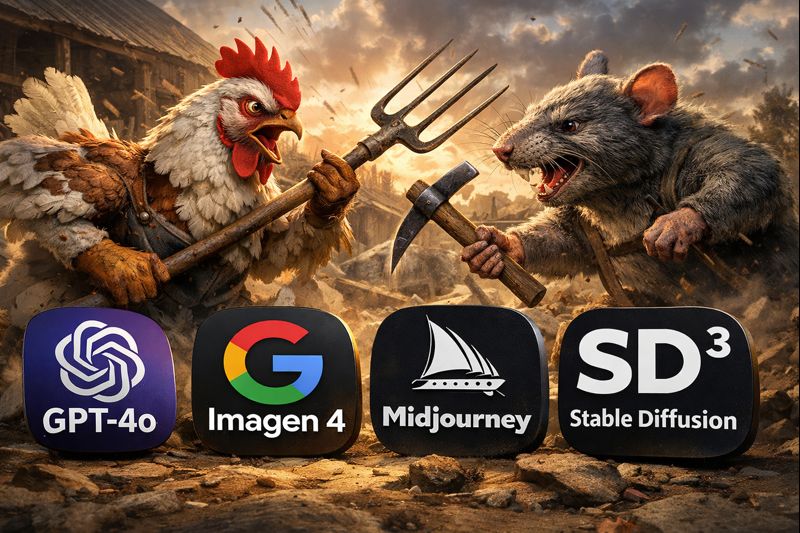
I started this research with one question in mind: Which image generation model gives creators the best combination of speed, accuracy, quality, and reliability? Although there’s a lot of buzz around new entrants and fast-growing models, four names consistently surfaced in benchmark leaderboards, professional user feedback, and my own tests: OpenAI’s GPT-4o Image Generation, Google’s Imagen 4, Midjourney (v7), and Stable Diffusion 3 / SDXL.
Each of these models embodies a different philosophy. GPT-4o aims for precision and general-purpose strength, Imagen targets photorealism and raw visual fidelity, Midjourney prioritizes artistic depth, and Stable Diffusion emphasizes customizability and openness. While much of the existing data comes from public comparisons and community testing rather than controlled lab conditions, a coherent picture emerges once you stack benchmarks and subjective experience side by side.
Image Creation Speed
When I started timing these systems, speed quickly revealed itself as more than just “how fast an image appears.” It actually interacts with UX (user waiting time), cost (API latency and throughput), and workflow efficiency — especially for professionals generating images in volume.
Stable Diffusion 3 wins here on pure throughput. Because it can be run locally on consumer or enterprise hardware and be optimized aggressively (e.g., SDXL Turbo modes), it churns out standard-resolution images in as little as a few seconds where infrastructure permits. When hosted in cloud environments with dedicated GPUs, its speed advantage becomes dramatic compared to the competitors. Benchmarks from community tests show Stable Diffusion generating images significantly faster than cloud-bound systems when configured on high-end hardware.
Google Imagen 4 places second in speed benchmarks in 2025–2026 comparisons. Reports put its generation times slightly ahead of GPT-4o in standard resolution tasks — making it an excellent choice for workflows where throughput and realism are both critical.
OpenAI’s GPT-4o Image Generation (including GPT Image models) sits in the middle. It does not beat local deployments of Stable Diffusion in raw seconds per image, but among cloud APIs with enterprise safety and high accuracy, it’s highly efficient. Published comparisons list it as competitive with Imagen 4, with performance optimized for large image batches, multi-object scenes, and API pipeline throughput.
Midjourney v7 lands at the back in raw latency. Because it’s typically accessed through Discord or web interfaces and balanced for visual exploration rather than pure speed, its latency is higher (often noticeable when generating multiple images). However, this is partly by choice: Midjourney prioritizes compositional refinement and stylistic fidelity over milliseconds shaved off per request.
In summary for speed: if you need images now and many of them, go Stable Diffusion 3 first, Imagen 4 second, GPT-4o third, and Midjourney fourth. The difference means tangible workflow efficiency for high-volume tasks.
Image Quality: Objective Metrics and Subjective Depth
Image quality is where things get nuanced. Raw metrics like FID (Fréchet Inception Distance) or human evaluation scores only tell part of the story. So I separated quality into photorealism, artistic expressiveness, and prompt fidelity.
For photorealism and objective fidelity, benchmarks in late 2025 place Imagen 4 at or near the top among leading image models. It produces highly realistic textures, accurate lighting, and detailed scenes with minimal artifacts. Its outputs are consistently rated high in human evaluations that examine realism and detail.
Closely behind is OpenAI’s GPT-4o Image Generation. Across test cases involving structured scenes, textual inscriptions, and complex object interactions, GPT-4o generative outputs score extremely well on both human and automated benchmarks. Many users report that GPT-4o’s images look “technically complete” with strong adherence to prompt specifics and realistic spatial relationships.
For artistic expressiveness and creative depth, Midjourney v7 is our clear winner. Though less focused on photorealism, it consistently excels at composition, lighting choices, color palettes, and stylistic coherence. Time and again, Midjourney images have been described as “visually compelling” and “gallery-ready,” favoring aesthetic impact over literal interpretation.
Stable Diffusion 3 has a slightly different profile. Its base outputs can vary depending on the specific model checkpoint and conditioning — a feature I’ll revisit in the control section — but it can match or even surpass closed models with adequate fine-tuning. Its strength lies in configurability. Without curation, its out-of-the-box images may lag slightly behind the others in raw polish, but with the right conditioning (ControlNet, LoRA, or fine-tuning layers), it can compete in both photorealism and artistic richness.
So if you define “quality” as photorealistic and prompt-faithful outputs, then Imagen 4 ranks first, GPT-4o second, Midjourney third (for photorealism), and Stable Diffusion fourth — unless you customize it, in which case it can rise to challenge the leaders in either category.
Ease of Prompting and Prompt Fidelity
This dimension often matters more than speed or even quality for many users because a model that “gets” your ideas quickly is worth far more in creative workflows.
I tested each model with layered, complex prompts — requiring multiple objects, actions, spatial relationships, and desired artistic styles. Here’s what I found:
GPT-4o Image Generation shines in prompt understanding. Its language model roots make complex prompt parsing very robust. For intricate requirements — like “a mid-century modern living room with photorealistic lighting, a golden retriever lounging on a velvet sofa, and surrealist shadows reflecting a Dalí influence” — GPT-4o reliably parses intent, spatial dependencies, and style. It often generates outputs that precisely reflect these nuances without extensive iteration.
Imagen 4 also does very well with complex prompts, specifically where clarity and detail are essential. Its photorealistic emphasis comes with strong semantic understanding of prompt descriptors, nouns, and adjectives. Very intricate environmental descriptors or high-detail textual instructions are usually executed faithfully.
Midjourney is a bit different. While it interprets prompts effectively, users often need to learn its style cues and preference tokens to get exactly what they want. Midjourney’s prompt grammar — sometimes involving style keywords, modifiers, and Discord-specific syntax — influences output heavily. Once you know how to “speak Midjourney,” its expressiveness is remarkable, but the learning curve is steeper compared to GPT-4o or Imagen.
Stable Diffusion is the most flexible — and the hardest to master. Because you can condition it with auxiliary tools (ControlNet, custom LoRA models, embedding tweaks), it can obey prompts extremely well once fine-tuned. But for average users without experience in prompt engineering or model conditioning, getting precise outputs often requires more iterations. Out of the box, prompt fidelity is good, but expertise unlocks its real potential.
So for ease of prompting: GPT-4o claims the first spot, Imagen 4 second, Midjourney third (after mastering its syntax), and Stable Diffusion fourth in terms of immediate out-of-box fidelity.
Continuity and Multi-Image Consistency
One of the trickiest tests I ran was generating a coherent set of images featuring the same character in multiple scenes. Many applications — concept art, character design, visual storytelling — depend on continuity.
Stable Diffusion, because of its open-source nature, pulls ahead here when you use techniques like embedding vectors, ControlNet pose conditioning, or character-specific LoRAs. Once the model “learns” a character, it can generate coherent variations because you can save and reuse character embeddings or fine-tune it on a small dataset. For continuity challenges, this configurability makes Stable Diffusion the best practical tool, even if it requires extra setup.
Midjourney does well too, but with caveats. It doesn’t yet offer the same depth of persistent identity control as bespoke embeddings in Stable Diffusion, but prompt chaining and consistent style tokens often produce recognizable continuity across images. It’s easier than without control, but still not as explicit as Stable Diffusion’s mechanisms.
GPT-4o Image Generation can maintain some consistency if prompts are carefully written with reiterated identifiers, but it tends to prioritize prompt interpretation over strict character persistence. It’s good — but not ideal — for continuity without external tooling.
Imagen 4, while excellent at single high-quality outputs, does not yet offer dedicated continuity features in standard UX workflows. It’s possible to coax consistent style references, but it’s less repeatable than Stable Diffusion’s saved embeddings or Midjourney’s prompt chaining.
In continuity ranking: Stable Diffusion first (with conditioning), Midjourney second, GPT-4o third, and Imagen 4 fourth.
Additional Dimensions That Matter
Beyond those primary categories, I explored control and customization, cost, ecosystem and tooling, deployment options, and community support — elements that often decide real-world adoption.
Control & Customization
Stable Diffusion is unrivaled here. With an open-source foundation, users build bespoke models, conditioners, and workflows — from facial consistency to specialized artistic styles.
Midjourney offers style parameters and creative controls, but it’s not open-ended like Stable Diffusion’s ecosystem.
GPT-4o provides robust prompt logic and structured output capabilities, but customization beyond prompt engineering is limited by its API and closed nature.
Imagen 4 has strong internal capabilities, but limited user-accessible adapters for deep customization right now.
Cost
Raw cost varies dramatically by use case. Local Stable Diffusion is essentially hardware-dependent, potentially cheaper than paid services once you have GPUs. Cloud APIs (GPT-4o, Imagen 4) charge per image or compute unit. Midjourney uses a subscription pricing model.
Stable Diffusion offers the best cost per image at scale if self-hosted.
Conclusions: Which Model Wins in Each Category?
I’ll state conclusions clearly, backed by the data and qualitative experience.
For image creation speed, Stable Diffusion 3 was fastest, Imagen 4 second, GPT-4o third, Midjourney fourth.
For raw image quality (photorealism), Imagen 4 led, GPT-4o followed, Midjourney excelled in style, and Stable Diffusion trailed until customized.
For prompt fidelity and ease, GPT-4o was best, Imagen 4 second, Midjourney third, Stable Diffusion fourth without prior conditioning.
For continuity and character consistency, Stable Diffusion (with tooling) led, Midjourney second, GPT-4o third, Imagen 4 fourth.
For control and customization, Stable Diffusion was unmatched, followed by Midjourney, GPT-4o, then Imagen 4.
What This Means for Users
No single model dominates every category — and that’s why today’s creators often blend tools. For concept art and expressive visuals, Midjourney still shines. For photorealistic, detail-rich tasks, Imagen 4 is compelling. For precision and prompt compliance, GPT-4o is hard to beat. And for deep control, continuity, and scalable workflows, Stable Diffusion is indispensable.
The space is evolving rapidly, and new entrants (like emerging models such as Nano Banana or FLUX) are challenging the status quo. But the evidence from benchmarks and real-world use makes one architecturally clear division: closed-source models excel in out-of-box quality and prompt comprehension, while open-source models dominate in flexibility and scalability.
If you’d like, I can produce a second part with example prompts and visual comparisons, or tailor this for a specific audience such as marketers, game developers, or academic researchers.
In the world of artificial intelligence, the dazzling breakthroughs often come from the intersection of scale, creativity and a willingness to rethink long‑held assumptions. Meta AI’s DINO and SAM models embody all of these qualities, pushing computer vision beyond incremental gains and toward a future in which machines perceive and interact with the visual world not as coded rules or rigid categories, but with nuanced, flexible and context‑aware understanding. Together, these models represent a broader trend in AI research: moving from narrow, supervised systems toward general, adaptable vision systems that can be applied to problems ranging from everyday image processing to life‑critical applications like autonomous medical triage.
Understanding how these models work, why they matter, and where they are heading requires unpacking both the technical innovations behind them and the real‑world problems they are being used to solve. This article explores that trajectory — from the self‑supervised foundations of DINO to the promptable segmentation of SAM, the integration of these models into cutting‑edge robotics and emergency response systems, and the broader implications for industries reliant on visual intelligence.
The Limits of Traditional Computer Vision — and the Promise of a New Approach
For decades, computer vision systems depended on large labeled datasets and handcrafted pipelines. Engineers painstakingly annotated millions of images with categories — “cat,” “car,” “tree” — and models were trained to recognize these labels. This approach powered early breakthroughs, from facial recognition to autonomous driving research, but it has clear limitations. Labeling is expensive, slow and inherently constrained by the categories humans choose in advance.
Moreover, traditional supervised learning struggles when confronted with tasks or domains that deviate from its training data: medical images, satellite imagery, robotic perception in unstructured environments and scenes with unusual objects all pose significant challenges. Models trained to recognize a fixed set of classes simply cannot adapt to new objects or contexts without large amounts of additional data and retraining.
Meta AI’s DINO and SAM forge a new path, emphasizing models that learn from data without labels and interact with visual content in more flexible ways. These aren’t specialized tools for a single task — they are foundation models for vision, designed to support a wide array of downstream applications.
DINO: Seeing Without Labels
At its core, DINO (short for distillation with no labels) is a self‑supervised learning (SSL) technique. Unlike traditional models that learn from human‑curated annotations, DINO learns from the structure of images themselves. During training, the model receives multiple “views” of the same image — for example, two different random crops — and learns to produce similar visual representations for both. A “teacher” network guides a “student” network, helping it develop a rich internal understanding of visual concepts without ever being told what objects are.
This form of learning yields several advantages. First, it dramatically reduces the reliance on labeled data — a perennial bottleneck in computer vision. Second, the representations DINO learns are general and versatile: they can support classification, depth estimation, segmentation and other tasks, often with minimal fine‑tuning. This is why DINO and its successors, like DINOv2 and DINOv3, are considered universal vision backbones.
In practice, DINO’s output is a feature embedding — a vector representation of an image that captures its semantic and structural essence. These embeddings can then be used by other algorithms or models to perform high‑level tasks. At scale, the latest versions of DINO, trained on hundreds of millions of images, produce visual representations that rival or even surpass supervised alternatives in many domains.
This ability to learn without labels isn’t just a convenience for data scientists; it’s a fundamental shift in how AI perceives the world. Instead of relying on explicit human instruction, the model learns from the inherent patterns and similarities in the visual world itself — a more scalable and, arguably, more human‑like approach to learning.
SAM: Promptable Segmentation for Any Object
If DINO provides the vision backbone, SAM — the Segment Anything Model — is the interface that allows flexible interaction with visual content. Traditional segmentation models are trained for specific tasks, like identifying people or cars. SAM, by contrast, is designed to segment any object, on demand.
What makes SAM revolutionary is its promptability. Users can provide simple cues — a click on the object, a bounding box, a rough sketch, even text prompts — and the model will generate a pixel‑accurate mask for the object or region of interest. The result is a model that can be integrated into interactive annotation workflows, automated pipelines and multimodal systems that combine vision with language.
Early versions of SAM were limited to static images, but ongoing research and iterations (including SAM 2 and emerging SAM 3 architectures) are expanding its capabilities to video segmentation, prompt‑able concept segmentation and even cognitive interpretation of scenes. Unlike rigid segmentation systems, SAM doesn’t require predefined classes — instead, it responds to prompts, making it far more adaptable.
In computer vision, segmentation is a foundational task. Whether you’re distinguishing a tumor from healthy tissue in a medical scan, isolating a car in autonomous driving footage or extracting a product from a cluttered e‑commerce image, segmentation determines how well a system perceives the elements of a scene. By democratizing segmentation with prompts, SAM shifts power from rigid pipelines to flexible, human‑in‑the‑loop models.
How DINO and SAM Work Together — and Beyond
Individually, DINO and SAM are powerful. Combined, they unlock even richer capabilities. One compelling example of this synergy is the integration of Grounding DINO, an open‑vocabulary detection model that leverages natural language to guide object identification, with SAM’s segmentation. In this pipeline, Grounding DINO first identifies regions of interest using textual cues like “wound?” or “blood?”, and SAM then segments those regions with pixel precision.
This combination is more than an academic exercise; it’s part of real‑world systems being deployed today.
From Research to Real‑World Impact: The DARPA Triage Challenge
High‑stakes environments like disaster response and emergency medicine have long been testbeds for cutting‑edge AI research. The DARPA Triage Challenge, a multi‑year competition launched by the U.S. Defense Advanced Research Projects Agency, aims to transform autonomous medical triage using robotics and AI systems that can operate in chaotic, low‑connectivity environments with dust, darkness, explosions and other sensory degradations.
One standout participant, the PRONTO team from the University of Pennsylvania, combines autonomous drones and ground robots with Meta AI’s DINO, SAM and Grounding DINO models to rapidly assess casualties and physiological signs without human contact. In simulated mass casualty incidents, these systems process visual data in real time, segmenting victims, identifying wounds and estimating vital signs like heart rate and respiration. All of this information is visualized for first responders, enabling prioritization of limited resources — a critical advantage when seconds matter.
This isn’t a distant dream — Phase 1 of the DARPA Triage Challenge in 2024 already demonstrated the potential for such systems to operate in complex, degraded environments. As the challenge progresses, the continued evolution of DINO and SAM — alongside robotics and sensor technologies — could reshape how medical teams respond to disasters worldwide.
Why These Models Matter Beyond Academia
While the triage challenge is a striking example, the implications of DINO and SAM extend far beyond emergency response. Both models are part of a larger shift in AI toward foundation models that serve as flexible building blocks across domains.
Consider the implications for:
Robotics: Robotic perception has historically been limited by rigid, task‑specific vision systems. With DINO and SAM, robots can interpret scenes more flexibly, segmenting objects on demand and adapting to unstructured environments — a foundational requirement for true autonomy.
Augmented Reality (AR) and Mixed Reality: AR systems require rapid, accurate understanding of real‑world scenes. Promptable segmentation enables AR overlays that align precisely with physical objects, while DINO’s general representations support context‑aware interactions.
Healthcare Imaging: Medical imaging often faces data scarcity and domain shifts that stump traditional models. The ability to segment and analyze medical scans with minimal task‑specific training could democratize access to advanced diagnostics and reduce reliance on large labeled datasets.
Satellite and Aerial Imagery: Earth observation poses similar challenges: diverse object types, changing light and weather conditions, and limited annotations. SAM’s general segmentation and DINO’s robust features can support automated analysis for agriculture, urban planning and environmental monitoring.
Creative Tools and Content Production: Content creators in film, gaming and digital art rely on visual tools to isolate, edit and manipulate imagery. Promptable segmentation democratizes what once required manual masking and expensive software.
Challenges and the Road Ahead
Despite their transformative potential, DINO and SAM are not magic bullets. They face limitations — segmentation models may struggle with highly specialized medical imagery without fine‑tuning, and dense feature extraction can be computationally intensive. Ethical concerns around privacy, bias in training data, and misuse of vision technologies also loom large.
Moreover, the integration of vision with language and reasoning — while advancing rapidly — remains an open frontier. Emerging research, including generative vision models and multi‑modal reasoning systems, will likely integrate with or build upon the foundations laid by DINO and SAM.
Conclusion: A New Paradigm for Visual Intelligence
Meta AI’s DINO and SAM models represent more than technical achievements; they mark a shift in how we build and interact with vision systems. By learning from unlabeled data and enabling prompt‑based interaction with visual content, these models move us toward a future in which machines see not through narrow labels but through general, adaptable understanding.
The implications — from autonomous robots in disaster zones to everyday tools that make imagery more accessible — are profound. As research continues and these models evolve, they promise to bring the power of visual intelligence to industries and applications once considered out of reach for AI.
-
 AI Model6 months ago
Tutorial: How to Enable and Use ChatGPT’s New Agent Functionality and Create Reusable Prompts
-

 AI Model4 months ago
How to Use Sora 2: The Complete Guide to Text‑to‑Video Magic
-
 AI Model5 months ago
Tutorial: Mastering Painting Images with Grok Imagine
-
 AI Model7 months ago
Complete Guide to AI Image Generation Using DALL·E 3
-
 AI Model7 months ago
Mastering Visual Storytelling with DALL·E 3: A Professional Guide to Advanced Image Generation
-
 Tutorial4 months ago
From Assistant to Agent: How to Use ChatGPT Agent Mode, Step by Step
-
 AI Model9 months ago
Grok: DeepSearch vs. Think Mode – When to Use Each
-
 News4 months ago
OpenAI’s Bold Bet: A TikTok‑Style App with Sora 2 at Its Core